


































![Kong Interview Preparation Guide [2025]](https://www.devopstraininginstitute.com/blog/uploads/images/202509/image_430x256_68dbb95326997.jpg)
















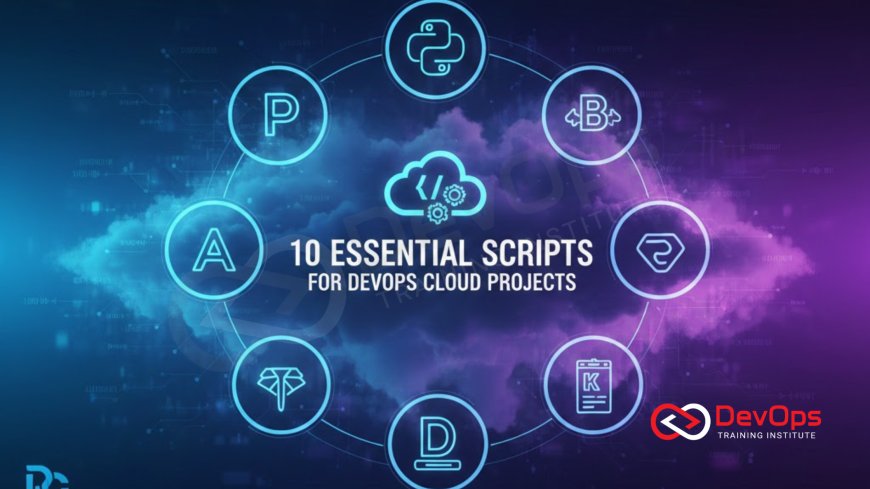
10 Essential Scripts for DevOps Cloud Projects
Master your cloud projects with 10 essential automation scripts every DevOps engineer needs. This guide covers vital tasks from bootstrapping a secure environment and automating deployment rollbacks to dynamic configuration management, secret injection, and compliance checking. Learn how to leverage Bash, Python, and cloud CLI tools to streamline infrastructure provisioning, enforce security best practices (like RHEL 10 hardening), and ensure consistent, reliable, and high-velocity continuous delivery across AWS, Azure, and GCP, transforming manual toil into code-driven efficiency.
Introduction
At the heart of DevOps and cloud computing is automation. While powerful Infrastructure as Code (IaC) tools like Terraform and CloudFormation define what resources should exist, the glue that binds the entire Continuous Integration and Continuous Delivery (CI/CD) pipeline together often consists of smaller, more focused automation scripts. These scripts, typically written in Bash or Python, are essential for handling initial setup, managing temporary states, performing health checks, orchestrating complex deployment steps, and enforcing security policies that IaC tools alone cannot easily manage.
For a DevOps engineer, proficiency in scripting is non-negotiable. It is the ability to write these small, efficient programs that determines the reliability, speed, and consistency of the cloud project. These scripts turn manual, repetitive tasks—the infamous "toil"—into repeatable, auditable code. When integrated into the pipeline, they act as critical gates and accelerators, ensuring environments are provisioned securely and applications are deployed flawlessly, ultimately ensuring a fast release cadence.
This guide details 10 essential scripts that should be part of every DevOps engineer's toolkit for managing cloud projects. These examples cover the entire lifecycle, from the secure bootstrapping of a new environment to the final validation and cleanup. Mastering these patterns will not only boost your productivity but also significantly enhance the reliability and security of your deployments, positioning you as a highly effective automation specialist in any cloud-native environment.
Pillar I: Environment and Infrastructure Management
These scripts focus on automating the setup, configuration, and teardown of the foundational environment, ensuring that the cloud resources are consistent and compliant from the moment they are created.
1. Automated Secure Environment Bootstrapping (Bash)
The very first step in any cloud project is setting up the initial security context and remote state. A bootstrapping script automates the creation of resources needed before Terraform or Ansible can run. This includes creating the remote state storage bucket (e.g., S3 or GCS), setting up the necessary IAM roles or service accounts for the CI/CD pipeline, and configuring network components like a bastion host or VPC peering. This script ensures that the environment is secure and ready for IaC execution.
#!/bin/bash
# Description: Creates S3 bucket for Terraform remote state and locks it
BUCKET_NAME="my-project-terraform-state-$(uuidgen | tr '[:upper:]' '[:lower:]')"
REGION="us-east-1"
aws s3api create-bucket --bucket $BUCKET_NAME --region $REGION --create-configuration LocationConstraint=$REGION
aws s3api put-bucket-versioning --bucket $BUCKET_NAME --versioning-configuration Status=Enabled
aws s3api put-public-access-block \
    --bucket $BUCKET_NAME \
    --public-access-block-configuration "BlockPublicAcls=true,IgnorePublicAcls=true,BlockPublicPolicy=true,RestrictPublicBuckets=true"
echo "Terraform state bucket created: s3://$BUCKET_NAME"
2. Dynamic Configuration Management and File Generation (Python)
Many applications require dynamic configuration files (e.g., Kubernetes `configmaps`, application `.properties` files) based on resources provisioned by IaC (e.g., database endpoints, S3 bucket names). A Python script retrieves these dynamic outputs from Terraform state or cloud APIs and uses them to generate environment-specific configuration files or shell variables, ensuring accurate runtime parameters.
# Description: Reads Terraform output and generates a Kubernetes ConfigMap YAML
import json, subprocess, yaml

def generate_config():
    tf_output = json.loads(subprocess.run(["terraform", "output", "-json"], capture_output=True, text=True).stdout)
    db_endpoint = tf_output["db_endpoint"]["value"]

    config_map = {
        "apiVersion": "v1",
        "kind": "ConfigMap",
        "metadata": {"name": "app-config"},
        "data": {
            "DB_HOST": db_endpoint,
            "LOG_LEVEL": "INFO",
        }
    }
    with open("app-config.yaml", "w") as f:
        yaml.dump(config_map, f)
    print("ConfigMap generated successfully.")
generate_config()
3. Host Security and Compliance Enforcement (Ansible/Bash)
Even in containerized environments, the underlying host OS (VM) needs hardening. A script automates the execution of configuration management playbooks (Ansible) to enforce system-level security standards, such as disabling unnecessary services, setting up auditing, and configuring firewalls. This ensures compliance with established standards like those outlined in RHEL 10 hardening best practices, applied immediately upon VM provisioning.
#!/bin/bash
# Description: Executes Ansible playbook for host hardening
ANSIBLE_PLAYBOOK="host_hardening.yml"
TARGET_HOSTS="worker_nodes"
ansible-playbook -i inventory.ini $ANSIBLE_PLAYBOOK -l $TARGET_HOSTS --extra-vars "SELINUX_STATE=enforcing"
if [ $? -eq 0 ]; then
    echo "Host hardening successful."
else
    echo "Host hardening failed. Exiting."
    exit 1
fi
Pillar II: Deployment and Secrets Automation
These scripts manage the complex, high-risk tasks of code deployment and secret injection. They are designed for reliability, ensuring that credentials are never exposed and that deployments can be swiftly reversed if a failure occurs.
4. Secure Secrets Injection (Python/Vault CLI)
Secrets (API keys, database passwords) must never be passed as environment variables through the CI/CD system. A script authenticates with a secrets manager (e.g., HashiCorp Vault, cloud secrets service) using a short-lived token and dynamically retrieves the necessary secrets, injecting them directly into the runtime environment (e.g., as Kubernetes secrets or mounted files) only for the duration of the deployment. This is a critical security best practice.
# Description: Authenticates to Vault and injects secret as environment variable
import os, hvac # Python client for Vault

VAULT_ADDR = os.getenv("VAULT_ADDR")
VAULT_TOKEN = os.getenv("VAULT_TOKEN") # Short-lived token from CI/CD
SECRET_PATH = "secret/data/my-app/db"

client = hvac.Client(url=VAULT_ADDR, token=VAULT_TOKEN)
secret_data = client.read(SECRET_PATH)
if secret_data and secret_data['data']['data']:
    DB_PASSWORD = secret_data['data']['data']['password']
    os.environ['DB_PASSWORD'] = DB_PASSWORD
    print("Secret injected successfully.")
else:
    raise Exception("Failed to retrieve secret from Vault.")
5. Automated Deployment Health Check and Verification (Bash)
Immediately after a new application version is deployed (e.g., a Kubernetes rollout is complete), a script runs automated verification checks. This typically involves sending traffic to application endpoints, checking HTTP status codes, verifying log output for critical errors (e.g., using `kubectl logs`), or confirming API functionality. If checks fail, the script should instantly signal a failure and potentially trigger a rollback.
#!/bin/bash
# Description: Checks deployment status and runs basic smoke test
DEPLOYMENT_NAME="my-app-api"
NAMESPACE="production"
kubectl rollout status deployment/$DEPLOYMENT_NAME -n $NAMESPACE --timeout=5m
if [ $? -ne 0 ]; then
    echo "Deployment rollout failed."
    exit 1
fi
# Basic smoke test: Check for a successful HTTP 200 response
RESPONSE_CODE=$(curl -s -o /dev/null -w "%{http_code}" http://my-app-api.example.com/health)
if [ "$RESPONSE_CODE" -eq 200 ]; then
    echo "Smoke test passed. Deployment successful."
else
    echo "Smoke test failed with code $RESPONSE_CODE."
    exit 1
fi
6. Instant Rollback Mechanism (Bash/Kube CLI)
If post-deployment health checks (Script 5) fail, an instant rollback script must be executed. This script reverses the deployment to the last known stable version, drastically reducing the Mean Time to Resolution (MTTR) and minimizing user impact. This ensures that the system quickly returns to a reliable state, which is critical for maintaining service availability.
#!/bin/bash
# Description: Instantly rolls back a Kubernetes deployment
DEPLOYMENT_NAME="my-app-api"
NAMESPACE="production"
echo "Initiating rollback for $DEPLOYMENT_NAME in namespace $NAMESPACE..."
kubectl rollout undo deployment/$DEPLOYMENT_NAME -n $NAMESPACE
if [ $? -eq 0 ]; then
    echo "Rollback successful. Waiting for rollout status..."
    kubectl rollout status deployment/$DEPLOYMENT_NAME -n $NAMESPACE
else
    echo "Rollback failed. Manual intervention required."
    exit 1
fi
Pillar III: Observability and Auditing
These scripts ensure that the system provides the necessary visibility into its operational state, enforcing best practices for logging, security, and compliance checks across the distributed environment.
7. Dynamic Log Analysis for Anomaly Detection (Python)
While dedicated AIOps tools exist, a simple Python script can monitor centralized log streams for unexpected patterns immediately after a deployment. This script checks for sudden spikes in error rates, specific security-related keywords, or anomalies outside a baseline. This is an essential complement to traditional metric monitoring, providing deep context for diagnosing failures.
# Description: Queries log stream for new ERRORs after deployment
import time, datetime

def check_log_errors(service_name, deploy_time):
    # Pseudocode: Query log aggregation tool (Elasticsearch, Loki)
    # for 'level: ERROR' logs from service_name since deploy_time
    error_count = log_tool.query_logs(
        service=service_name,
        level="ERROR",
        since=deploy_time,
    )
    if error_count > 10:
        print(f"CRITICAL: Found {error_count} errors since deployment.")
        return False
    print("Log analysis passed.")
    return True
8. Automated Policy-as-Code (PaC) Validation (Bash/OPA)
This script enforces governance by scanning Infrastructure as Code (IaC) files (e.g., Terraform, Kubernetes manifests) for security or compliance violations using a Policy-as-Code engine like Open Policy Agent (OPA). This provides a security gate before resources are provisioned, preventing risky misconfigurations (like public S3 buckets or unencrypted databases) from reaching the cloud. This automated enforcement is a key part of DevSecOps.
#!/bin/bash
# Description: Scans Kubernetes manifest against OPA policies
MANIFEST_FILE="deployment.yaml"
POLICY_PATH="rego/k8s_security.rego"
# Example OPA command to check for root container user
opa exec --decision "k8s/security/user_is_root" -i $MANIFEST_FILE $POLICY_PATH
if [ $? -ne 0 ]; then
    echo "OPA policy violation detected: Container runs as root. Deployment blocked."
    exit 1
fi
9. Inventory and Audit Reporting (Python/Cloud CLI)
A script generates a compliance report of all deployed resources, their tags, and current security status. This involves querying the cloud provider's API for asset inventory and comparing it against tagging standards or security baselines. This provides continuous auditing and ensures that security and cost controls are maintained across all provisioned infrastructure.
# Description: Checks all running VMs for required security tags
def compliance_check():
    # Pseudocode: Use AWS/Azure/GCP SDK to get VM list
    vms = cloud_api.get_running_vms()
    non_compliant = []
    for vm in vms:
        if 'Owner' not in vm.tags or 'SecurityLevel' not in vm.tags:
            non_compliant.append(vm.id)

    if non_compliant:
        print(f"Warning: Found {len(non_compliant)} VMs missing required tags.")
        # Trigger alert or automated tagging remediation
        return False
    return True
10. Git-State Verification (Bash)
In a GitOps environment, the live state of the infrastructure must match the configuration in Git. A script verifies this state by comparing the last deployed commit hash in the live environment (e.g., a Kubernetes ConfigMap or a file on a target VM) against the latest commit hash in the Git repository. If the two hashes do not match, it signals configuration drift and triggers an alert for manual or automated reconciliation, ensuring that the system is always auditable and consistent.
#!/bin/bash
# Description: Checks for configuration drift between Git and live environment
LIVE_COMMIT=$(kubectl get configmap git-state -o=jsonpath='{.data.commit_hash}')
GIT_COMMIT=$(git rev-parse HEAD)
if [ "$LIVE_COMMIT" != "$GIT_COMMIT" ]; then
    echo "CRITICAL: Configuration drift detected! Live commit ($LIVE_COMMIT) does not match Git ($GIT_COMMIT)."
    exit 1
else
    echo "Git state matches live environment. No drift."
fi
Conclusion
The success of any modern cloud project hinges on the ability to automate complex operational and security tasks. The 10 essential scripts detailed in this guide—spanning environment setup, robust deployment controls, and continuous auditing—form the critical layer of automation that complements Infrastructure as Code. By transforming manual toil into repeatable Bash and Python scripts, DevOps engineers ensure that deployments are not just fast, but fundamentally reliable, secure, and fully auditable.
These scripts are the technical implementation of core DevOps and SRE principles: ensuring idempotency where possible, implementing health checks and instant rollbacks to minimize MTTR, and enforcing security controls via Policy-as-Code and secrets injection. Proficiency in these automation patterns is what defines an effective cloud engineer today, enabling teams to scale their operations confidently and efficiently, making their entire software delivery pipeline highly resilient.
Embrace these scripts as patterns rather than static code. Adapt them to your cloud provider, programming language, and CI/CD toolchain. By making automation the default for every repetitive task, you will secure your infrastructure, maintain a high-velocity release cadence, and significantly reduce the operational risk of your cloud projects, turning manual effort into sustained, code-driven efficiency. This commitment to programmatic control ensures that your entire stack is traceable, secure, and predictable, paving the way for advanced practices like automated remediation and AIOps, which are the future of operational excellence.
Frequently Asked Questions
What is the primary role of a bootstrapping script in a cloud project?
It automates the initial setup of secure, foundational resources, such as remote state storage buckets and CI/CD IAM roles, before major IaC tools like Terraform run.
Why is Python often preferred over Bash for complex cloud scripts?
Python offers better structured programming capabilities, robust error handling, and superior libraries (SDKs) for interacting with cloud provider APIs and data formats like JSON and YAML.
How does a secure secrets injection script work to prevent exposure?
It authenticates with a centralized secrets manager using a short-lived token and injects credentials directly into the runtime memory of the container or process, preventing them from being stored in files or exposed in logs.
What is the benefit of making deployment operations idempotent?
Idempotency ensures that running the same deployment script multiple times produces the same result, which is crucial for safety and reliability in automated retries and failure scenarios.
How does an instant rollback script reduce MTTR?
It automatically reverses a failed deployment to the last known stable version immediately upon detecting a post-deployment failure, minimizing the duration of the outage and user impact.
What purpose does the Host Security and Compliance Enforcement script serve?
It automates the application of system-level security standards (like firewall rules and auditing setup) to the underlying VMs, ensuring compliance with hardening best practices like those for RHEL 10.
How does a Policy-as-Code (PaC) script enforce governance?
A PaC script scans IaC files against organizational rules (via OPA) and blocks provisioning if misconfigurations or security violations are detected, enforcing governance before deployment.
How does a Git-State Verification script prevent configuration drift?
It compares the commit hash of the live environment configuration with the latest hash in the Git repository, alerting or triggering reconciliation if a mismatch (drift) is detected in the GitOps model.
Why is dynamic configuration management necessary for modern microservices?
Microservices often rely on dynamic endpoints and resources provisioned by IaC. A script generates accurate configuration files at deploy time, ensuring the application connects to the correct services.
What is the importance of a script to check for API Gateways after deployment?
A script ensures that the API Gateway is provisioned, routing traffic correctly, and healthy, confirming that the entry point for microservices is functional and correctly configured before traffic is allowed.
How does automated compliance checking differ from automated security scanning?
Compliance checking (Script 9) validates operational rules (e.g., tagging, cost controls). Security scanning (Script 8) validates security rules (e.g., public access, encryption status) in the IaC or manifest file.
How does a script aid in advanced SSH keys security configuration?
A script automates the secure rotation, distribution, and permission setting for SSH keys on cloud VMs, ensuring access is strictly controlled and follows security policy for the target host.
Which pillar of observability do dynamic log analysis scripts support most directly?
They support the Logs pillar, providing automated, rapid analysis of unstructured log data for anomalies and errors that complement metrics and trace data during incident diagnosis, proving critical for operational visibility.
How does a script improve the reliability of the deployment process?
Scripts implement critical reliability features like health checks, retries, timeouts, and instant rollbacks, transforming a set of sequential steps into a robust, self-healing automated process.
What is the final step for a script after running a compliance check?
The final step is typically to either log the results to a centralized system for auditing or to trigger automated remediation (e.g., re-tagging an incorrect resource) if a non-compliant state is detected, ensuring continuous governance.
What's Your Reaction?
 Like
0
Like
0
 Dislike
0
Dislike
0
 Love
0
Love
0
 Funny
0
Funny
0
 Angry
0
Angry
0
 Sad
0
Sad
0
 Wow
0
Wow
0


![100+ Azure DevOps Interview Questions and Answers [Updated 2025]](https://www.devopstraininginstitute.com/blog/uploads/images/202509/image_140x98_68c40aa9a3834.jpg)






![Future Scope of DevOps Careers in Pune [Updated 2025]](https://www.devopstraininginstitute.com/blog/uploads/images/202510/image_140x98_68e3a84652312.jpg)


