


































![Kong Interview Preparation Guide [2025]](https://www.devopstraininginstitute.com/blog/uploads/images/202509/image_430x256_68dbb95326997.jpg)
















10 Best Practices to Secure Kubernetes Clusters in 2025
Secure your Kubernetes clusters with these 10 proven best practices used by top organizations in 2025. From RBAC and Pod Security Standards to network policies, runtime security, image scanning, and secrets management. Implement these controls today to prevent breaches and achieve compliance.
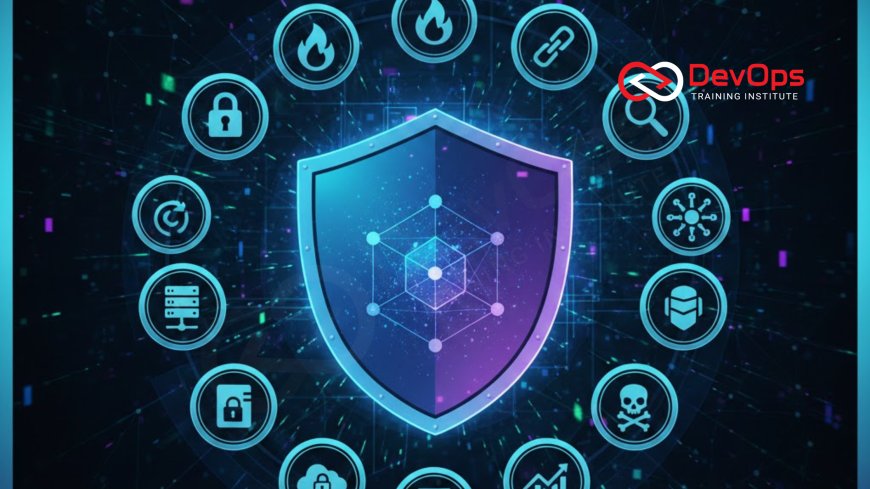
Introduction
Kubernetes has become the go-to platform for managing containerized applications, allowing teams to deploy, scale, and operate software efficiently. However, with its popularity comes increased attention from potential attackers. Securing Kubernetes clusters is vital to protect sensitive data and maintain system integrity. In 2025, as more organizations adopt cloud-native technologies, understanding these security practices is essential for anyone involved in DevOps or IT operations. This guide breaks down 10 best practices in a straightforward way, explaining each step without overwhelming you with complex terms.
We will start by covering the basics and move into specific actions you can take. Each practice includes explanations, why it matters, and how to implement it. If you are new to Kubernetes, it is an open-source system that automates the deployment and management of applications in containers, which are lightweight packages containing everything needed to run software. Security in this context means protecting against unauthorized access, data breaches, and other risks. By following these practices, you can build a more resilient cluster.
Remember, security is an ongoing process, not a one-time task. Integrating these habits into your workflow, especially within a DevOps pipeline, ensures continuous protection. Let's explore these practices to help you safeguard your Kubernetes environment effectively.
Best Practice 1: Implement Role-Based Access Control (RBAC)
Role-Based Access Control, or RBAC, is a method to restrict access within your Kubernetes cluster based on user roles. It ensures that individuals or services only have permissions necessary for their tasks, following the principle of least privilege. This reduces the risk of accidental or malicious actions that could compromise the system. In Kubernetes, RBAC uses roles and role bindings to define what actions are allowed on which resources, like pods or namespaces.
To get started, enable RBAC in your cluster configuration if it is not already active, which is the default in recent versions. Create custom roles for different team members, such as developers who might need read access but not deletion rights. Bind these roles to users or groups using role bindings. Regularly review and audit these permissions to adapt to changing needs. Tools like kubectl can help manage RBAC configurations easily, making it accessible even for beginners.
Implementing RBAC not only enhances security but also improves operational efficiency by clarifying responsibilities. It prevents scenarios where a compromised account could wreak havoc across the entire cluster. As part of broader DevSecOps strategies, RBAC integrates security into everyday workflows, fostering a culture of mindful access management.
Best Practice 2: Use Network Policies to Control Traffic
Network policies in Kubernetes act like firewalls for your pods, defining how they communicate with each other and external networks. They help isolate workloads, preventing unauthorized traffic that could lead to data leaks or attacks. By default, Kubernetes allows all traffic between pods, so applying policies is crucial to enforce restrictions based on labels, namespaces, or IP ranges.
Begin by labeling your pods appropriately, then create network policy manifests in YAML format. For example, a policy might allow traffic only from specific frontend pods to backend databases. Apply these using kubectl and test them thoroughly to avoid disrupting legitimate communications. Calico or Cilium are popular tools that extend Kubernetes native networking for more advanced policy enforcement.
This practice is especially important in multi-tenant environments where different teams share the same cluster. It minimizes the blast radius of potential breaches, containing issues to affected areas. Incorporating network policies into your deployment process aligns with modern cloud management, ensuring secure and efficient operations.
Best Practice 3: Manage Secrets Securely
Secrets in Kubernetes are objects that store sensitive information like passwords, API keys, or certificates. Proper management prevents exposure through insecure storage or transmission. Instead of hardcoding secrets in application code or environment variables, use Kubernetes Secrets to handle them safely, with base64 encoding for basic protection.
To enhance security, integrate external secrets managers like HashiCorp Vault or AWS Secrets Manager. These tools provide features such as rotation and auditing. Mount secrets as volumes in pods or use environment variables injected at runtime. Always encrypt secrets at rest by enabling encryption providers in your cluster configuration.
Regularly audit secret access and usage to detect anomalies. This practice protects against common attacks like credential stuffing. In a DevOps-enhanced cloud infrastructure, secure secrets management ensures compliance and builds trust in your systems.
Best Practice 4: Scan Container Images for Vulnerabilities
Container images are the building blocks of your applications in Kubernetes. Scanning them identifies known vulnerabilities in software packages or configurations before deployment. This proactive step prevents exploiting weaknesses that could compromise your cluster. Tools like Trivy or Clair automate scans, integrating seamlessly into CI/CD pipelines.
Establish a policy to scan images during build time and before promotion to production. Use multi-stage builds to minimize image size and attack surface. Regularly update base images and rescan to address new threats. Block deployments of images with critical vulnerabilities using admission controllers like OPA Gatekeeper.
This practice aligns with shift-left security, catching issues early. It reduces downtime and remediation efforts, contributing to overall system reliability. For teams adopting containerization, image scanning is a foundational element of secure operations.
Best Practice 5: Enforce Pod Security Standards
Pod Security Standards, formerly Pod Security Policies, define baseline security requirements for pods. They prevent running privileged containers, enforce read-only root filesystems, and restrict capabilities. Kubernetes provides profiles like Baseline and Restricted to apply these standards consistently across your cluster.
Enable these standards using admission webhooks or by labeling namespaces. Start with the Baseline profile for less restrictive environments, then move to Restricted for higher security. Test applications to ensure compatibility, adjusting as needed. This approach minimizes risks from misconfigured pods that could allow privilege escalation.
Incorporating pod security into your workflows promotes best practices without hindering development. It is a key component in hardening your cluster against common exploits, ensuring safer deployments.
Best Practice 6: Encrypt etcd Data
etcd is the key-value store that holds Kubernetes cluster state, including secrets and configurations. Encrypting etcd data at rest protects against unauthorized access if storage is compromised. Kubernetes supports encryption providers like aescbc or secretbox for this purpose.
Configure encryption in the API server flags or through a EncryptionConfiguration resource. Rotate encryption keys periodically to maintain security. Monitor for performance impacts, as encryption adds overhead, but modern hardware minimizes this. Back up etcd regularly to recover from failures.
This practice safeguards critical cluster information, complying with data protection regulations. It is an essential layer in a multi-faceted security strategy, preventing data breaches at the storage level.
Best Practice 7: Secure the Kubernetes API Server
The API server is the central management point for Kubernetes, handling all requests. Securing it involves enabling TLS for encrypted communications, strong authentication, and admission controls. Disable anonymous access and use certificates for client authentication.
Restrict API server access using firewalls or network policies. Enable audit logging to track API calls. Use tools like kube-bench to check against CIS benchmarks for best configurations. Regularly update the API server to patch known vulnerabilities.
A secure API server prevents unauthorized commands that could alter cluster behavior. It forms the core of cluster defense, ensuring only trusted interactions occur.
Best Practice 8: Enable Audit Logging
Audit logging records API requests and responses, providing visibility into cluster activities. It helps detect suspicious behavior and aids in forensic analysis after incidents. Kubernetes audit logs can be configured via the API server to capture metadata, requests, or full details.
Set up a logging policy to define what to log and where to store it, like Elasticsearch or a SIEM system. Rotate logs to manage storage and protect them from tampering. Analyze logs regularly using tools like Falco for runtime threat detection.
This practice enables proactive security management, identifying patterns that indicate attacks. It supports compliance and improves incident response times.
Best Practice 9: Keep Kubernetes Components Up to Date
Regular updates patch security vulnerabilities in Kubernetes and its components. Follow a schedule to upgrade control plane, nodes, and add-ons. Use tools like kubeadm for managed updates in self-hosted clusters or rely on provider-managed services for automation.
Test updates in staging environments to avoid disruptions. Monitor release notes for security fixes. Automate dependency checks for third-party components. This ongoing maintenance prevents exploitation of known issues.
Staying current with versions ensures access to the latest security features. It is a simple yet effective way to bolster cluster defenses.
Best Practice 10: Implement Continuous Monitoring and Alerting
Continuous monitoring tracks cluster health, performance, and security events in real time. Tools like Prometheus and Grafana collect metrics, while Falco detects runtime anomalies. Set up alerts for unusual activities, such as unauthorized access attempts or resource spikes.
Integrate monitoring with your DevOps metrics for comprehensive insights. Use machine learning for advanced threat detection. Regularly review dashboards and refine alerting rules to reduce false positives.
This practice allows quick response to threats, minimizing damage. It transforms security from reactive to proactive, essential in dynamic environments.
| Best Practice | Description | Recommended Tools |
|---|---|---|
| RBAC Implementation | Restrict access based on roles | kubectl, Open Policy Agent |
| Network Policies | Control pod traffic | Calico, Cilium |
| Secrets Management | Handle sensitive data securely | HashiCorp Vault, AWS Secrets Manager |
| Image Scanning | Check for vulnerabilities | Trivy, Clair |
| Pod Security Standards | Enforce pod configurations | Admission Webhooks |
| etcd Encryption | Protect cluster data | Kubernetes Encryption Providers |
| API Server Security | Secure central management | kube-bench |
| Audit Logging | Record activities | Falco, ELK Stack |
| Regular Updates | Patch vulnerabilities | kubeadm |
| Continuous Monitoring | Detect threats in real time | Prometheus, Grafana |
Conclusion
Securing Kubernetes clusters requires a multi-layered approach, combining access controls, network protections, and ongoing vigilance. By implementing these 10 best practices, you can significantly reduce risks and build a robust environment for your applications. Start small, perhaps with RBAC and image scanning, and gradually incorporate others. Remember, security is a team effort, aligning with broader DevOps methodologies to foster collaboration and efficiency. Stay informed on evolving threats and update your strategies accordingly for long-term success.
Frequently Asked Questions
What is Kubernetes?
Kubernetes is an open-source platform for automating deployment, scaling, and operations of application containers across clusters of hosts.
Why is securing Kubernetes important?
Securing Kubernetes protects against data breaches, unauthorized access, and service disruptions in containerized environments.
What is RBAC in Kubernetes?
RBAC stands for Role-Based Access Control, which manages permissions for users and services within the cluster.
How do network policies work?
Network policies define rules for traffic flow between pods, acting as a firewall to enhance isolation.
What are Kubernetes Secrets?
Secrets are objects that store sensitive data like passwords, securely managed within the cluster.
Why scan container images?
Scanning identifies vulnerabilities in images before deployment, preventing security risks.
What are Pod Security Standards?
They are profiles that enforce security configurations for pods, like restricting privileged access.
How to encrypt etcd?
Configure encryption providers in the API server to protect etcd data at rest.
What secures the API server?
TLS encryption, authentication, and admission controls secure the API server.
What is audit logging?
It records API activities for monitoring and analysis of cluster events.
Why update Kubernetes regularly?
Updates patch vulnerabilities and provide new security features.
What tools for monitoring?
Prometheus for metrics and Falco for runtime security detection.
Is Kubernetes security part of DevOps?
Yes, it integrates with DevOps culture for automated, secure deployments.
Can beginners secure Kubernetes?
Yes, start with basics like RBAC and build up with resources and tools.
What if I ignore these practices?
Ignoring them increases risks of attacks, data loss, and compliance issues.
What's Your Reaction?
 Like
1
Like
1
 Dislike
0
Dislike
0
 Love
0
Love
0
 Funny
0
Funny
0
 Angry
0
Angry
0
 Sad
0
Sad
0
 Wow
0
Wow
0

![100+ Azure DevOps Interview Questions and Answers [Updated 2025]](https://www.devopstraininginstitute.com/blog/uploads/images/202509/image_140x98_68c40aa9a3834.jpg)






![Future Scope of DevOps Careers in Pune [Updated 2025]](https://www.devopstraininginstitute.com/blog/uploads/images/202510/image_140x98_68e3a84652312.jpg)


