


































![Kong Interview Preparation Guide [2025]](https://www.devopstraininginstitute.com/blog/uploads/images/202509/image_430x256_68dbb95326997.jpg)
















10 Incident Management Tools Loved by DevOps Teams
Explore the top 10 incident management tools that DevOps teams rely on in 2025 for swift response and resolution. This guide covers features, pricing, real-world use cases, and comparisons to help you choose the best tool for reducing downtime, improving collaboration, and enhancing overall system reliability in your organization.
Introduction
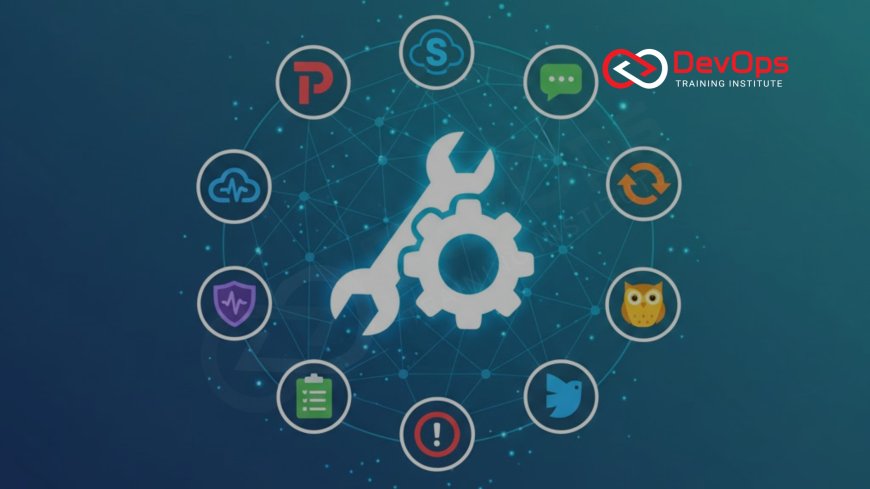
Incident management is a critical part of modern DevOps practices. When systems fail or performance degrades, teams need tools that not only alert them quickly but also facilitate coordinated responses, documentation, and learning from the event. In 2025, with the rise of complex microservices and cloud-native architectures, choosing the right incident management tool can significantly reduce mean time to recovery (MTTR) and prevent future issues. These tools integrate with monitoring systems, communication platforms, and ticketing software to create a seamless workflow.
This guide is designed for beginners and experienced professionals alike. We will explore 10 popular tools, explaining their key features, pricing, and why DevOps teams love them. Each tool addresses different needs, from simple alerting to advanced AI-driven insights. By the end, you will have a clear understanding of how these tools fit into your operations, helping you make an informed decision without getting lost in technical details.
Remember, the best tool aligns with your team's size, budget, and existing stack. We avoid jargon where possible, but terms like MTTR, which stands for mean time to recovery, will be explained as they appear. Let's dive into the tools that are transforming how teams handle incidents.
Tool 1: PagerDuty – The Reliable Alerting Leader
PagerDuty has been a staple in DevOps toolkits for years, and in 2025, it continues to lead with its robust alerting and on-call management. It integrates with over 700 tools, including monitoring platforms like Datadog and New Relic, to consolidate alerts and reduce noise. Teams can set up escalation policies that automatically notify the right people via SMS, email, or phone if an incident is not acknowledged promptly. This ensures quick response times, even during off-hours.
What makes PagerDuty stand out is its mobile-first approach. The iOS and Android apps allow engineers to acknowledge alerts, join conference bridges, and update incident status on the go. For beginners, the platform's interface is intuitive, with dashboards showing on-call schedules and incident timelines. Pricing starts at $0 for the Free plan (up to 5 users), Professional at $21 per user/month, Business at $41, and Enterprise with custom pricing. DevOps teams appreciate how it turns chaotic outages into structured processes.
Integration with DevOps tools like Slack and Microsoft Teams enhances collaboration. Real-world use cases include e-commerce sites using it to minimize downtime during peak sales, where every minute costs revenue. Overall, PagerDuty's reliability makes it a go-to for teams prioritizing uptime.
Tool 2: Opsgenie – Seamless for Atlassian Ecosystems
Opsgenie, now part of Atlassian, excels in environments using Jira or Confluence. It provides alerting, on-call management, and incident response features that sync seamlessly with Atlassian's suite. In 2025, despite the end of new sales in June, existing users continue to leverage its capabilities until 2027, with migrations encouraged to Jira Service Management. Alerts can be routed based on severity, and heartbeats monitor system health to detect failures proactively.
For beginners, Opsgenie's strength lies in its post-incident workflows, which automatically create Jira tickets for follow-ups. Pricing includes Free at $0, Essentials at $9.45/user/month annually, Standard at $19.95, and Enterprise at $31.90. Teams love the unlimited alerts in higher plans and multilingual messaging for global operations. It reduces MTTR by providing clear escalation paths and integrating with over 200 tools.
In practice, DevOps teams in software companies use Opsgenie to handle incidents from code deploys gone wrong, ensuring quick resolution and documentation. Its data retention features help with compliance, making it ideal for regulated industries. As part of broader DevOps culture, it fosters collaboration across teams.
Tool 3: incident.io – The Engineer-Friendly Platform
incident.io is gaining traction in 2025 for its Slack-native interface and AI-powered features. Designed by engineers for engineers, it automates incident declaration, timeline building, and summaries using AI. This tool integrates with monitoring systems to trigger incidents automatically, reducing manual overhead. Its growth is evident from a 400% adoption increase in recent years.
Beginners will appreciate the beautiful UI and features like private incidents for sensitive issues. Pricing starts with Basic at free, Team at $19/user/month, Pro at $25, and Enterprise custom. Key features include multi-team on-call and supercharged automation. DevOps teams value how it makes retrospectives actionable, turning incidents into learning opportunities without blame.
Use cases include fintech companies using it for rapid response to security alerts, where AI helps identify similar past incidents. It fits well in DevSecOps workflows, enhancing security incident handling. Overall, incident.io's modern approach makes it a favorite for agile teams.
Tool 4: Rootly – Automation-Focused SRE Tool
Rootly stands out in 2025 for its all-in-one approach to incident management, automating Slack channels, Zoom bridges, and retrospective boards. Its AI assistant suggests fixes based on historical data, making it ideal for SRE teams. Integration with tools like Jira and Backstage ensures seamless workflows.
For those new to incident tools, Rootly's Essentials plan at $20/user/month offers Slack-native response and AI features. Enterprise is custom, with advanced workflows and Microsoft Teams support. Teams praise its playbooks and burnout detector, which help maintain team health during high-pressure situations.
In real-world scenarios, cloud service providers use Rootly to manage multi-cloud incidents, leveraging its Terraform provider for infrastructure alerts. It aligns with cloud infrastructure management, reducing toil and improving reliability.
Tool 5: FireHydrant – Comprehensive Response Platform
FireHydrant combines alerting, response, and retrospectives in one platform, popular in 2025 for its open-source core and enterprise features. It auto-generates timelines and supports private incidents, making it suitable for large organizations.
Pricing includes Platform Pro at $9,600/year for up to 20 users, and Enterprise custom. Features like FireHydrant AI for summaries and unlimited integrations appeal to DevOps teams. Beginners find its Slack bot intuitive for live documentation.
Use cases involve e-commerce platforms handling Black Friday outages, where quick rollbacks and analytics prevent revenue loss. It supports DevOps metrics tracking, helping teams measure improvement over time.
Tool 6: Spike.sh – Affordable Alerting for Startups
Spike.sh is loved by small to medium teams in 2025 for its simplicity and low cost. It provides alerting, status pages, and phone call notifications that read alerts aloud, eliminating the need for apps in some cases.
Pricing is Starter at $7/user/month and Business at $14. Its noise reduction and integrations make it easy for beginners to set up. DevOps teams appreciate the 14-day trial and cancellation flexibility.
In practice, startups use Spike.sh for monitoring SaaS applications, ensuring quick alerts without overwhelming budgets. It fits into lean DevOps methodologies, focusing on essential features.
Tool 7: xMatters – Enterprise-Grade Workflow Automation
xMatters is favored by large enterprises in 2025 for its advanced automation and compliance features. It handles conference bridges and audit trails, essential for regulated industries like finance and healthcare.
Pricing starts at Free for up to 10 users, Starter at $9/user/month, Base at $39, and Advanced custom. Its unlimited notifications in higher plans and multilingual support cater to global teams.
DevOps in airlines use xMatters for critical system alerts, ensuring rapid coordination. It integrates with cloud platforms, enhancing incident response in hybrid environments.
Tool 8: Splunk On-Call – Observability-Integrated Response
Splunk On-Call, formerly VictorOps, shines in 2025 for its deep integration with Splunk's observability tools. It syncs timelines with logs and metrics, providing context during incidents.
Pricing is available through Splunk's observability plans, often bundled. Features include real-time collaboration and advanced reporting, ideal for data-driven teams.
Use cases include telecom companies analyzing network outages, where Splunk's insights reduce MTTR. It's perfect for organizations already invested in Splunk ecosystems.
Tool 9: Zenduty – Cost-Effective Incident Platform
Zenduty offers affordable incident management in 2025, with plans starting at $6/user/month for Starter. It includes alerting, on-call, and integrations with monitoring tools.
Higher plans like Growth at $16 provide advanced features. Teams love its S3 backup integration and mobile apps for quick responses.
Small DevOps teams in e-learning platforms use Zenduty to handle user-reported issues efficiently, ensuring minimal disruption.
Tool 10: Squadcast – SRE-Focused Management
Squadcast emphasizes SRE practices in 2025, with features like SLO tracking and alert deduplication. Plans range from Free to Enterprise custom.
Pro at $9/user/month offers unlimited alerts. Its retrospectives and integrations make it a solid choice for reliability-focused teams.
In software firms, Squadcast helps manage deployment incidents, aligning with continuous improvement goals.
| Tool | Best For | Starting Price | Key Feature |
|---|---|---|---|
| PagerDuty | Large-scale operations | $0 (Free) | Mobile response |
| Opsgenie | Atlassian users | $0 (Free) | Jira integration |
| incident.io | Slack-native teams | $0 (Basic) | AI summaries |
| Rootly | Automation-heavy SRE | $20/user/month | AI assistant |
| FireHydrant | Enterprise retrospectives | $9,600/year | Timeline generation |
| Spike.sh | Startups | $7/user/month | Voice alerts |
| xMatters | Regulated industries | $0 (Free) | Audit trails |
| Splunk On-Call | Observability stacks | Bundled with Splunk | Log integration |
| Zenduty | Budget-conscious teams | $6/user/month | S3 backups |
| Squadcast | SRE practices | $0 (Free) | SLO tracking |
Conclusion
Selecting the right incident management tool in 2025 depends on your team's needs, from basic alerting to advanced AI and compliance. These 10 tools offer diverse options to minimize downtime and foster learning. Implement one that integrates well with your stack for optimal results.
Frequently Asked Questions
What is incident management?
The process of identifying, responding to, and resolving system issues to minimize impact.
Why use dedicated tools?
They automate alerts, coordinate teams, and provide insights for prevention.
Is PagerDuty worth the cost?
Yes, for its reliability and integrations in large teams.
What's new in Opsgenie 2025?
Migration to Jira, with support until 2027.
How does incident.io use AI?
For summaries and similar incident detection.
Can Rootly replace multiple tools?
Yes, with its all-in-one automation.
Is FireHydrant open-source?
Core is, with enterprise add-ons.
For whom is Spike.sh best?
Startups seeking affordability.
Does xMatters support compliance?
Yes, with audit trails.
How integrates Splunk On-Call?
With Splunk observability.
What's Zenduty's strength?
Cost-effective alerting.
Does Squadcast focus on SRE?
Yes, with SLO tracking.
Can tools reduce MTTR?
Yes, through smart features.
Are free plans sufficient?
For small teams, yes.
How to choose a tool?
Based on integrations and needs.
What's Your Reaction?
 Like
0
Like
0
 Dislike
0
Dislike
0
 Love
0
Love
0
 Funny
0
Funny
0
 Angry
0
Angry
0
 Sad
0
Sad
0
 Wow
0
Wow
0


![100+ Azure DevOps Interview Questions and Answers [Updated 2025]](https://www.devopstraininginstitute.com/blog/uploads/images/202509/image_140x98_68c40aa9a3834.jpg)






![Future Scope of DevOps Careers in Pune [Updated 2025]](https://www.devopstraininginstitute.com/blog/uploads/images/202510/image_140x98_68e3a84652312.jpg)


