


































![Kong Interview Preparation Guide [2025]](https://www.devopstraininginstitute.com/blog/uploads/images/202509/image_430x256_68dbb95326997.jpg)
















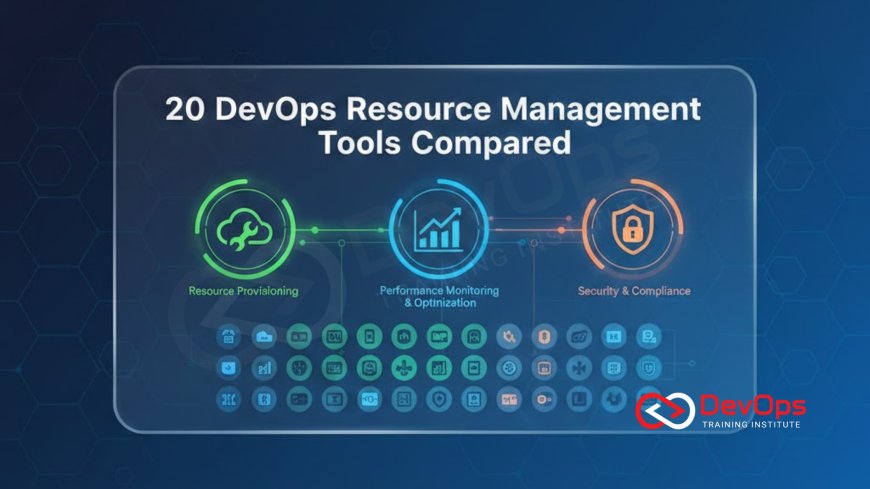
20 DevOps Resource Management Tools Compared
Discover a comprehensive comparison of twenty essential DevOps resource management tools designed to optimize your infrastructure and streamline development workflows. This detailed guide explores how modern automation, cloud cost management, and observability solutions help engineering teams maintain high availability while reducing operational overhead. Learn about the unique features, benefits, and use cases for industry leading tools that empower organizations to achieve efficient resource allocation and superior system reliability in today’s complex digital landscape.
Introduction to DevOps Resource Management
In the modern era of software delivery, managing the vast array of digital resources required to run applications has become a complex challenge. DevOps resource management involves the strategic coordination of computing power, storage, networking, and software components to ensure that applications remain performant and cost-effective. As organizations move away from static servers toward dynamic cloud environments, the need for specialized tools to handle these resources automatically has grown exponentially for teams of all sizes.
A solid resource management strategy allows engineering teams to avoid the twin pitfalls of over-provisioning and under-provisioning. Over-provisioning leads to wasted money on idle hardware, while under-provisioning causes slow performance and system crashes during peak traffic hours. By using the right combination of tools, teams can achieve a state where resources expand and contract based on real-time demand, providing a seamless experience for end-users while keeping the business's operational budget under control through intelligent data-driven decisions.
Infrastructure as Code and Provisioning Tools
Infrastructure as Code or IaC is the practice of managing and provisioning computing infrastructure through machine-readable definition files. This approach replaces manual hardware configuration with software development practices like version control and continuous integration. Tools in this category allow DevOps engineers to define their entire data center in text files, making it possible to replicate complex environments in minutes rather than weeks or months of manual labor by highly skilled technicians.
Terraform and Pulumi are prominent examples of tools that enable this transition to automated environments. They provide a bridge to multiple cloud providers, allowing for a consistent management experience regardless of whether you are using AWS, Azure, or Google Cloud. By treating infrastructure as software, teams can implement automation that reduces human error and ensures that every environment, from development to production, is configured identically, which is a key requirement for achieving true operational stability and speed.
Cloud Financial Management and Cost Optimization
As cloud adoption increases, the complexity of managing monthly bills from cloud providers has become a significant administrative burden. Resource management is no longer just a technical task; it is also a financial one. Tools dedicated to cost optimization help teams identify unused resources, such as orphaned storage volumes or idle database instances, and suggest ways to reduce spending without impacting the performance of critical business applications or services.
The rise of finops practices has led to the development of powerful platforms like CloudHealth and Kubecost. These tools provide granular visibility into where every dollar is spent within a cluster or a cloud account. By automating the identification of waste and providing alerts for budget overruns, these resource management tools empower engineering leads to take financial accountability for their infrastructure, ensuring that the company’s cloud investment is yielding the maximum possible value for the organization and its stakeholders.
Observability and Performance Monitoring
To manage resources effectively, you first need to see exactly how they are being used. Monitoring tools collect metrics like CPU usage, memory consumption, and network latency, while observability tools help engineers understand the deeper reasons behind system behavior. These tools provide the necessary data to determine when to scale resources up or down, and they are essential for identifying bottlenecks that might be slowing down an application despite having plenty of hardware available.
Platforms like Datadog, New Relic, and Prometheus offer deep insights into the health of complex distributed systems. Understanding the observability of a system allows teams to move from reactive troubleshooting to proactive optimization. For instance, if a monitoring tool shows a slow increase in memory usage over time, a developer can identify a memory leak and fix it before it causes a system-wide outage. This proactive management of software resources is vital for maintaining the high availability levels that modern users have come to expect.
Table: Top 20 DevOps Resource Management Tools Comparison
| Tool Name | Primary Category | Key Use Case | Target User |
|---|---|---|---|
| Terraform | Infrastructure as Code | Multi-cloud provisioning | Cloud Architects |
| Kubernetes | Container Orchestration | Managing container lifecycles | Platform Engineers |
| Ansible | Configuration Management | Server automation and setup | Sysadmins |
| Datadog | Observability | Full-stack monitoring | SRE Teams |
| CloudHealth | Cost Management | Cloud spend optimization | Finance & Ops |
| Prometheus | Monitoring | Time-series metric collection | DevOps Engineers |
| Helm | Package Management | Kubernetes app deployment | Developers |
| Jenkins | CI/CD | Automating build pipelines | Build Engineers |
| Splunk | Log Analysis | Searching machine data | Security Teams |
| Puppet | Configuration Management | Enforcing system state | IT Operations |
| New Relic | APM | Application performance monitoring | App Developers |
| Chef | Automation | Managing server recipes | Ops Engineers |
| PagerDuty | Incident Response | Alerting and on-call management | DevOps Teams |
| Grafana | Visualization | Creating data dashboards | Analysts & Engineers |
| Kubecost | Cost Management | Kubernetes specific costing | FinOps Teams |
| Argo CD | GitOps | Declarative CD for Kubernetes | SREs |
| CircleCI | CI/CD | Cloud-native build automation | Software Teams |
| Docker | Containerization | Standardizing app environments | Developers |
| Vault by HashiCorp | Security | Secret resource management | Security Engineers |
| Spinnaker | Continuous Delivery | Advanced deployment strategies | Enterprise DevOps |
The Role of Platform Engineering in Scaling
As organizations grow, they often find that simple automation scripts are no longer enough to manage thousands of servers and applications. This is where platform engineering comes into play. It is the discipline of designing and building self-service internal developer platforms that hide the complexity of infrastructure from the people writing code. By providing developers with ready-made tools and environments, platform engineers allow the business to scale its software development efforts without increasing technical debt.
A well-built internal platform acts as a unified resource management hub. It ensures that every new service launched by a developer follows the company's best practices for security, monitoring, and cost efficiency automatically. This standardized approach prevents "shadow IT" where different teams use different tools, leading to a fragmented and unmanageable environment. Instead, it provides a consistent paved road for application delivery, enabling the entire organization to move faster while maintaining a high level of control over its digital assets.
Advanced Security and Compliance Integration
Resource management is not just about performance and cost; it is also about ensuring that every resource is secure and compliant with industry regulations. In the past, security was often a final check performed right before a product launch, but in the modern DevOps world, it must be integrated into every step of the process. This shift is essential for protecting sensitive data and maintaining user trust in an era of increasing cyber threats and strict privacy laws.
By understanding devsecops, teams can use resource management tools to automatically scan infrastructure for vulnerabilities and misconfigurations. For example, a tool might detect an insecurely configured storage bucket or an outdated software library and automatically block its deployment to production. This automated enforcement of security policies ensures that resources are protected by default, significantly reducing the risk of a data breach and making it easier for companies to pass compliance audits without manual stress.
Building Resilient Systems through Testing
Managing resources also means preparing for the inevitable moment when something goes wrong. A truly well-managed infrastructure is one that can withstand failures without impacting the end-user. Many modern resource management tools now include features for testing the resilience of a system by intentionally injecting faults, such as shutting down a server or slowing down a network connection, to see how the system responds and recovers.
Practicing chaos engineering is a sophisticated way to manage resource reliability. By proactively breaking parts of the system in a controlled environment, engineers can identify hidden weaknesses and fix them before a real emergency occurs. This methodology transforms reliability from a theoretical goal into a measurable and verifiable technical reality. It ensures that when a resource does fail in production, the automated management systems will immediately detect the issue and switch to a healthy backup without any human intervention required.
Deployment Strategies and Release Management
How you deploy resources is just as important as how you manage them while they are running. Modern release management tools allow for sophisticated deployment strategies that minimize the risk of a new update causing a system-wide outage. These strategies ensure that if a new version of a piece of software has a bug, it is caught quickly and rolled back before it can affect a significant number of users or consume excessive resources.
Teams often use a canary releases strategy where a new update is first rolled out to a tiny percentage of users. If the resource management tools show that the new version is stable and performant, the update is gradually expanded to the rest of the population. This cautious approach, combined with feature flags that allow for turning specific functions on or off without a full redeploy, provides a high level of control over the user experience and the underlying infrastructure resources at all times.
Conclusion
Choosing the right DevOps resource management tools is a journey that requires a deep understanding of your organization's unique needs, goals, and technical maturity. We have compared twenty of the most influential tools across various categories, including infrastructure as code, cloud cost management, observability, and continuous delivery. While no single tool can do everything, a well-integrated toolkit allows engineering teams to automate the mundane aspects of infrastructure management, freeing them to focus on creating innovative features for their customers. By embracing modern practices like platform engineering and FinOps, businesses can ensure that their digital resources are not just functional, but are also optimized for financial performance and security. As technology continues to evolve, the ability to manage resources intelligently and automatically will remain a defining factor for any company that wants to succeed in the fast-paced and competitive world of software delivery. Start by identifying your biggest operational bottleneck today and look for a tool that provides the automation and visibility needed to turn that challenge into a competitive advantage for your entire team.
Frequently Asked Questions
What are DevOps resource management tools?
These are software applications used to automate the provisioning monitoring and optimization of computing resources like servers and networks.
How does Terraform help with resource management?
Terraform allows engineers to define infrastructure as code making it easy to create and update resources across multiple cloud providers automatically.
Why is cost optimization important in DevOps?
Cloud costs can spiral out of control quickly so optimization tools help identify waste and ensure efficient use of the budget.
What is the difference between monitoring and observability?
Monitoring tracks if a system is working while observability helps you understand why it is or is not working through detailed data.
How do container orchestrators like Kubernetes manage resources?
Kubernetes automatically decides which server should run a container based on available CPU and memory to ensure balanced resource usage.
What role does platform engineering play?
Platform engineering creates internal tools that make it easier for developers to manage their own resources following company security standards.
What is FinOps in the context of DevOps?
FinOps is a cultural practice that brings financial accountability to the variable spend model of the cloud using specialized management tools.
How can I improve system resilience?
You can use chaos engineering tools to test how your infrastructure handles failures and improve your automated recovery processes as a result.
What is a canary release?
A canary release is a deployment strategy where a new update is rolled out to a small group of users first to test stability.
How do feature flags help with resource management?
Feature flags let you turn parts of your application on or off instantly without needing a full redeploy which saves time and resources.
Is it necessary to use multiple tools?
Yes most teams use a combination of tools for provisioning monitoring and cost management to cover all aspects of the modern infrastructure.
What is GitOps?
GitOps is a practice where you use a Git repository as the single source of truth for your infrastructure and application configurations.
How does DevSecOps impact resource management?
DevSecOps ensures that security checks are automated within the resource management process to prevent vulnerabilities from reaching the production environment.
Are these tools suitable for small businesses?
Many of these tools offer free or low-cost tiers making them accessible for startups and smaller teams looking to automate their workflows.
How do I choose the right tool for my team?
You should evaluate tools based on your specific cloud provider team expertise budget and the specific technical problems you are trying to solve.
What's Your Reaction?
 Like
0
Like
0
 Dislike
0
Dislike
0
 Love
0
Love
0
 Funny
0
Funny
0
 Angry
0
Angry
0
 Sad
0
Sad
0
 Wow
0
Wow
0

![100+ Azure DevOps Interview Questions and Answers [Updated 2025]](https://www.devopstraininginstitute.com/blog/uploads/images/202509/image_140x98_68c40aa9a3834.jpg)






![Future Scope of DevOps Careers in Pune [Updated 2025]](https://www.devopstraininginstitute.com/blog/uploads/images/202510/image_140x98_68e3a84652312.jpg)


