DevOps Training with AWS, Azure and GCP in Pune
How AWS, Azure and Google Cloud fit into DevOps training in Pune: shared toolchain, service mapping, verified certification facts and a learning path.
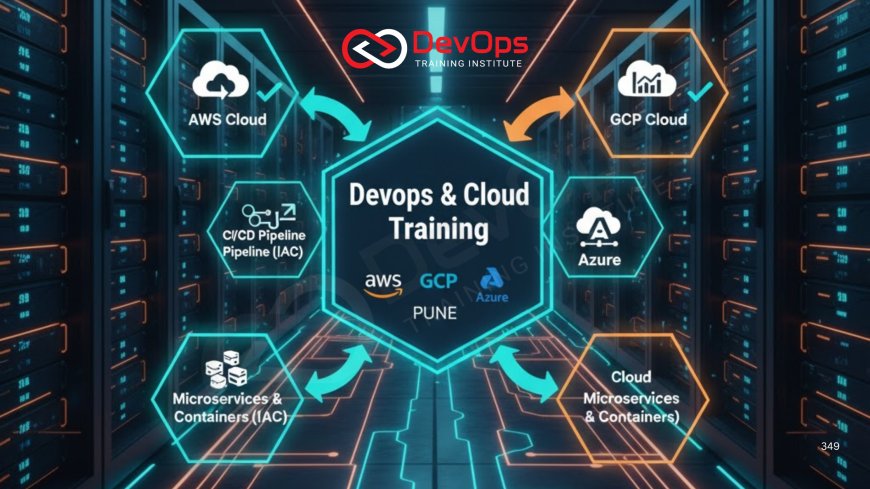
DevOps training with cloud platforms means learning the core DevOps workflow (Git, CI/CD, containers, infrastructure as code, monitoring) and then running it on AWS, Azure and Google Cloud. In Pune you can do this in a classroom in Kharadi or live online. Pick one cloud to go deep on first, then learn how the other two map to it.
If you are new to the field, start with our plain explanation of what DevOps is before you choose a cloud. This guide assumes you know the basic idea and want to know how cloud platforms fit into a training plan, what each one asks of you, and which certifications are worth your time in 2026 and into 2027.
Key takeaways
- The DevOps toolchain (Git, Docker, Kubernetes, Terraform, a CI server, Prometheus) works on all three major clouds. Learn it once and carry it across.
- Pick a primary cloud based on the job ads you are actually applying to, not on which one sounds most popular.
- Each cloud has its own native CI/CD, container and monitoring services. Learn the native names for your primary cloud and the rough equivalents for the other two.
- The vendor DevOps certifications differ in format, price and prerequisites. Check each one on the vendor's own page before you book.
- Microsoft has announced that its DevOps Engineer Expert certification and the AZ-400 exam retire on February 1, 2027, so plan any Azure certification with that date in mind.
- In Pune, training is available at the Kharadi classroom or online. The lab work is the same either way because the labs run in the cloud.
Why cloud platforms belong in DevOps training
Most DevOps work today happens on rented infrastructure. A pipeline builds a container image, pushes it to a registry, and deploys it to a cluster or a serverless service that someone else runs. The engineer's job is to describe that infrastructure in code, automate the path from commit to production, and watch what happens once it is live. All of that touches a cloud provider's APIs.
Training that stops at "install Jenkins on a VM" leaves out the parts employers spend the most time on: identity and access management, networking between services, managed Kubernetes, secrets, cost, and the provider's logging and metrics. You can learn Docker on a laptop. You learn why a deployment failed because a service account lacked a permission only by working in a real cloud account.
That is the reason a cloud-focused DevOps course spends a large share of its time in live accounts. You create resources, break them, read the error, and fix them. The first time you get an access-denied error from a pipeline, you learn more about least privilege than a slide could teach.
The shared toolchain that works on every cloud
Before comparing providers, it helps to see how much is the same. A typical pipeline on any of the three clouds looks like this: a developer pushes to a Git repository, a CI job runs tests and builds a container image, the image goes to a registry, and a deployment tool rolls it out to Kubernetes or a managed container service. Terraform or another IaC tool creates the cluster, network and databases underneath. Prometheus, Grafana or the cloud's own monitoring service collects metrics, and alerts go to whoever is on call.
Git, Docker, Kubernetes, Terraform, Ansible and Prometheus are open source and cloud neutral. If you understand a Kubernetes Deployment, you understand it on Amazon EKS, Azure Kubernetes Service and Google Kubernetes Engine. The differences sit at the edges: how the cluster authenticates to the cloud, how load balancers get created, how storage classes map to the provider's disks.
Our pillar comparison of DevOps cloud tools across AWS, Azure and GCP goes service by service. In training, the practical lesson is to put most of your effort into the shared toolchain and then learn the cloud-specific glue for one provider in depth.
Infrastructure as code across clouds
Terraform is the most common way to work with several clouds from one workflow, because it has providers for AWS, Azure and Google Cloud. You still write different resources for each cloud. An AWS VPC and a Google Cloud VPC network are different objects with different arguments. What carries over is the workflow: write configuration, run a plan, review it, apply it, and keep state somewhere safe and shared.
Each provider also has its own native IaC option: AWS CloudFormation, Azure Resource Manager templates and Bicep, and Google Cloud's Infrastructure Manager. Teams that commit to one cloud sometimes prefer the native tool. Teams that work across clouds usually standardise on Terraform or OpenTofu. A good course shows you at least one native tool so you can read existing templates at a new job.
How AWS, Azure and Google Cloud compare for DevOps work
The table below maps common DevOps tasks to each provider's main service. Names change from time to time, so check the provider documentation linked at the end of this post when you start a lab.
| Task | AWS | Azure | Google Cloud |
|---|---|---|---|
| Managed Kubernetes | Amazon EKS | Azure Kubernetes Service (AKS) | Google Kubernetes Engine (GKE) |
| Container registry | Amazon ECR | Azure Container Registry | Artifact Registry |
| Native CI/CD | AWS CodeBuild, CodePipeline | Azure Pipelines (Azure DevOps), GitHub Actions | Cloud Build, Cloud Deploy |
| Serverless containers | AWS Fargate (with ECS or EKS) | Azure Container Apps | Cloud Run |
| Native IaC | CloudFormation | ARM templates, Bicep | Infrastructure Manager |
| Monitoring and logs | Amazon CloudWatch | Azure Monitor | Cloud Monitoring, Cloud Logging |
| Identity for workloads | IAM roles | Managed identities | Service accounts, Workload Identity Federation |
AWS
AWS has the widest catalogue of services, and many Pune job ads list it first. For DevOps training the core set is smaller than the catalogue suggests: IAM, VPC, EC2, S3, ECR, EKS or ECS, CloudWatch, and one of CodePipeline or a third-party CI tool. Our list of the AWS services DevOps engineers use daily covers that set in more detail.
The thing most learners find hard on AWS is IAM. Policies, roles, trust relationships and permission boundaries take practice. Spend time here early, because almost every later lab depends on getting permissions right.
Microsoft Azure
Azure is common in companies that already run Microsoft software, and Azure DevOps (Boards, Repos, Pipelines, Artifacts) is a full delivery platform in its own right. Many teams now run GitHub Actions against Azure as well. Training on Azure should cover resource groups, Microsoft Entra ID for identity, virtual networks, AKS, Azure Container Registry, Azure Monitor and YAML pipelines.
Azure's resource group model is easy to grasp and makes cleanup simple, which helps when you are paying for lab time. The harder part is identity: service principals, managed identities and role assignments at different scopes.
Google Cloud
Google Cloud is smaller by market share in many Indian job boards but strong on Kubernetes, since GKE comes from the same company that started the Kubernetes project. Cloud Run is a simple way to run containers without managing a cluster. Cloud Build and Cloud Deploy cover CI and delivery. Google also publishes its site reliability engineering books for free, and its DevOps certification leans on SRE ideas such as service level objectives and error budgets.
Which cloud should you learn first?
Open the job portals you actually use and search for DevOps roles in Pune or for remote roles you would accept. Count how many ask for AWS, Azure or GCP. That count for your own target roles is a better guide than any general ranking. If you already work somewhere, the answer is even simpler: learn the cloud your company uses, because you can practise on real problems.
If you have no constraint at all, AWS is a reasonable default because its concepts (accounts, IAM, VPCs, managed Kubernetes) map clearly onto the other two. After you are comfortable on one provider, learning the second takes weeks rather than months, since you already understand what a load balancer, a managed cluster and a workload identity are for.
Avoid trying to learn all three in parallel from zero. You end up memorising three sets of service names without understanding any of them well. Depth on one cloud plus a translation table for the others is what interviewers tend to probe.
Cloud DevOps certifications: verified facts
Each provider offers a DevOps-focused certification. The details below come from each vendor's own certification page, checked in November 2026. Prices and formats change, so confirm on the vendor page before you register.
| Certification | Exam facts from the vendor page |
|---|---|
| AWS Certified DevOps Engineer - Professional | 180 minutes, 75 questions, multiple choice or multiple response, 300 USD, Pearson VUE test centre or online proctored, valid 3 years. AWS suggests about 2 or more years of experience provisioning and managing AWS environments. |
| Microsoft Certified: DevOps Engineer Expert (exam AZ-400) | Requires Azure Administrator Associate or Azure Developer Associate first. Price depends on the country where the exam is proctored. Microsoft states the certification, exam and renewal assessments retire on February 1, 2027. |
| Google Cloud Professional Cloud DevOps Engineer | Two hours, 50 to 60 multiple choice and multiple select questions, 200 USD plus tax, English or Japanese, online proctored or at a test centre. No formal prerequisites; Google recommends 3+ years of industry experience including 1+ year on Google Cloud. |
The Azure retirement date matters if you are planning ahead. Microsoft has announced a new agentic DevOps engineer credential on its Skills Hub blog. If you are starting Azure study in late 2026, read Microsoft's current guidance before you choose between finishing AZ-400 in time or preparing for whatever replaces it.
None of these exams is entry level. The AWS and Google exams are at the professional tier, and the Microsoft one is an expert certification with an associate prerequisite. If you are just starting, an associate-level cloud certification is usually the better first goal, and the DevOps exam comes later once you have real hands-on time.
What a sensible cloud DevOps learning path looks like
Here is an order that works for most learners. Adjust the time spent on each stage to your background.
- Linux and networking basics: the shell, processes, permissions, SSH, DNS, HTTP and TCP ports. Everything later depends on these.
- Git and a scripting language. Bash for glue, plus Python if you can manage it.
- Containers with Docker: images, layers, registries, multi-stage builds.
- One cloud in depth: identity, networking, compute, storage, managed Kubernetes and monitoring.
- Infrastructure as code with Terraform, using remote state and code review on plans.
- CI/CD: build, test, scan and deploy from a pipeline to your cloud, with secrets handled properly.
- Kubernetes operations: deployments, services, ingress, config, autoscaling and basic troubleshooting.
- Observability: metrics, logs, alerts and dashboards for the app you deployed.
- A second cloud, mapped against the first using the table above.
Stages 4 to 8 should end in one project you can explain in an interview: an application with a pipeline, infrastructure in code, a cluster, and a dashboard. A small project you built and debugged yourself is easier to talk about than a large one you copied.
Keeping lab costs under control
Cloud labs cost money, and learners regularly get surprised by bills. Each provider offers some form of free tier or trial credit for new accounts; the terms differ and change, so read the current offer on the provider's own site before you sign up. Whatever the offer, a few habits keep costs down.
- Set a budget alert on day one. All three providers let you set budget notifications.
- Tear down clusters and load balancers at the end of each session. Managed Kubernetes control planes and idle load balancers are common sources of unexpected charges.
- Use Terraform for labs so that
terraform destroyremoves everything you created. - Prefer small instance sizes and a single region while learning.
- Never commit cloud access keys to Git. Use short-lived credentials or workload identity wherever the provider supports it.
Classroom in Kharadi or live online?
In Pune, our DevOps training runs in a classroom in Kharadi and as live online batches. Because the labs run in cloud accounts, the hands-on work is the same in both formats. The difference is how you prefer to learn.
A classroom suits people who want fixed hours away from home distractions and like asking questions face to face. Online suits people who commute long distances, work shifts, or live outside Pune. Either way, ask any institute three practical questions: whose cloud account the labs run in, who pays for lab usage, and how much of each session is hands-on rather than slides.
The details of the course itself, including the current syllabus and batch timings, are on the DevOps training in Pune page. If AWS is your chosen platform and you already have some experience, the AWS DevOps Engineer Professional training is the more focused option.
Related cloud DevOps guides for Pune learners
This post covers how the three big clouds fit together in a training plan. Other posts on the blog take narrower angles. If you are already a cloud or sysadmin engineer moving into DevOps, see DevOps training for cloud engineers in Pune. If your target is specifically AWS plus Azure, read DevOps training with AWS and Azure. For a role-based view, see the cloud DevOps engineer training guide, and if your company mixes on-premises and cloud, the hybrid cloud DevOps post covers that setup.
Common mistakes when learning cloud DevOps
The first mistake is collecting certificates before skills. A certification proves you passed an exam on a given day. Interviewers for DevOps roles usually ask you to walk through something you built, describe a failure, or debug a scenario on a whiteboard. Build first, certify second.
The second is clicking through the console for everything. The console is fine for exploring, but anything you want to keep should live in code. If you cannot recreate your lab environment from a repository, you have not finished the lab.
The third is ignoring security until the end. Least-privilege IAM, secrets management, image scanning and network rules belong in the first pipeline you write, not as a later chapter. Employers increasingly expect DevOps engineers to handle basic security tasks without a separate team doing it for them.
The fourth is skipping monitoring. A deployment is only half done until you can see whether it is healthy. Add metrics and at least one alert to every project, and practise reading logs when something goes wrong.
Frequently asked questions
Do I need to learn all three clouds for a DevOps job?
No. Most roles ask for one primary cloud. Learn one in depth, then learn how the other two map to it so you can read their documentation and answer comparison questions.
Which cloud should I start with in Pune?
Check the DevOps job ads you plan to apply to and count which cloud they ask for. If you have no constraint, AWS is a reasonable default because its concepts map clearly to Azure and Google Cloud.
Is the AZ-400 exam still worth taking?
Microsoft states that the DevOps Engineer Expert certification, the AZ-400 exam and its renewal assessments retire on February 1, 2027. Read Microsoft's current guidance on the successor credential before you plan your study.
How long is the Google Cloud Professional Cloud DevOps Engineer exam?
Google's certification page lists two hours, 50 to 60 multiple choice and multiple select questions, and a 200 USD registration fee plus tax.
What does the AWS DevOps Engineer Professional exam involve?
AWS lists 180 minutes, 75 multiple choice or multiple response questions, a 300 USD fee, delivery at a Pearson VUE centre or online, and 3 years of validity.
Is the training available in a classroom in Pune?
Yes. DevOps training runs in a classroom in Kharadi, Pune, and as live online batches. The labs run in cloud accounts, so the hands-on work is the same in both formats.
How do I avoid large cloud bills while learning?
Set a budget alert on day one, build labs with Terraform so you can destroy them, tear down clusters and load balancers after each session, and never commit access keys to Git.
Official references
What's Your Reaction?
 Like
0
 Dislike
0
 Love
0
 Funny
0
 Angry
0
 Sad
0
 Wow
0