Pre-Flight Checks Before Automated Releases: 12 to Automate
Pre-flight checks confirm the target environment is ready just before deploy: identity, capacity, alerts, error budget, dry-run diff, change windows.

Pre-flight checks are automated tests a release pipeline runs against the target environment in the minutes before it deploys. They confirm that credentials work, the cluster has capacity, dependencies are healthy, no alerts are firing, the change window is open and the planned change matches what was approved. If any check fails, the release stops before anything changes.
Quality gates judge the artifact. Pre-flight checks judge the moment and the place you are about to deploy into. This guide explains the difference, lists the checks worth automating, and shows how to wire them into GitHub Actions, GitLab CI, Jenkins and Argo CD.
Key takeaways
- A pre-flight check answers one question: is it safe to deploy this version to this environment right now?
- Build-time quality gates (tests, scans, coverage) and post-deployment validation (smoke tests, canary analysis) are separate stages. Pre-flight sits between them.
- The most useful checks are cheap and read-only: identity, capacity, dependency health, active alerts, error budget, change window, and a dry-run diff of the change.
- Every check needs a clear owner, a timeout and a written reason for failing. A check nobody understands gets bypassed.
- Tools already have the building blocks:
kubectl diff,terraform plan -detailed-exitcode,helm upgrade --dry-run, GitHub environment protection rules, GitLab protected environments and Argo CD sync windows. - Keep the whole pre-flight stage under a few minutes, or teams will start skipping it.
Where pre-flight checks sit in a release
A typical continuous delivery pipeline has three checkpoints. Mixing them up is the most common reason pre-flight stages grow slow and noisy.
| Stage | Question it answers | Runs against | Examples |
|---|---|---|---|
| Quality gates (build time) | Is this artifact good enough to ship? | Source code and the built image | Unit tests, SAST, dependency scans, image scans, coverage thresholds |
| Pre-flight checks (just before deploy) | Is the target environment ready, and is now a safe time? | The live target environment, read-only | Credentials, capacity, dependency health, firing alerts, error budget, dry-run diff, change window |
| Post-deployment validation | Did the release actually work? | The new version running in the environment | Rollout status, smoke tests, synthetic journeys, canary analysis |
We cover the first stage in 10 CI/CD quality gates for production-level reliability and the last in 12 post-deployment validation steps in CI/CD. This page is only about the middle one.
The reason the middle stage matters: an artifact can pass every test and still fail in production because the database is mid-failover, a node pool is full, a secret expired overnight, or someone else is deploying a dependency at the same time. None of those are visible at build time.
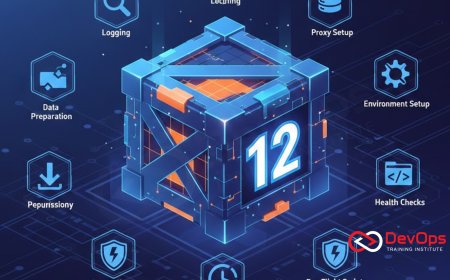
The 12 pre-flight checks worth automating
The table lists each check, what it catches and a typical way to implement it. Pick the ones that match your stack. Few teams need all twelve on day one.
| # | Check | What it catches | Typical implementation |
|---|---|---|---|
| 1 | Identity and permissions | Expired tokens, wrong account, missing RBAC | aws sts get-caller-identity, kubectl auth can-i |
| 2 | Target is the intended environment | Deploying to the wrong cluster or subscription | Compare kube context, account ID or project ID to an allow-list |
| 3 | Artifact exists and is trusted | Missing image tag, unsigned image | Registry lookup by digest, cosign verify |
| 4 | Dry-run diff of the change | Surprise deletions, unexpected resources | kubectl diff, terraform plan -detailed-exitcode, helm upgrade --dry-run |
| 5 | Policy check on the rendered change | Privileged pods, public buckets, missing labels | Conftest with OPA Rego, Kyverno CLI |
| 6 | Capacity headroom | Rollout stuck in Pending, quota errors | Node allocatable versus requests, cloud quota APIs |
| 7 | Dependency health | Database failover, broken downstream API | Health endpoints, managed service status APIs |
| 8 | No critical alerts firing | Deploying into an ongoing incident | Query Prometheus or Alertmanager API |
| 9 | Error budget remaining | Shipping features while reliability is already poor | SLO burn query, error budget policy |
| 10 | Change window and freezes | Releases during a freeze or peak traffic | Argo CD sync windows, calendar check, GitHub wait timers |
| 11 | Database migration safety | Failed or out-of-order migrations | flyway validate, Liquibase update-sql review |
| 12 | Rollback path is ready | No previous version to return to | Previous release recorded, helm history, backup timestamp |
1. Identity and permissions
The cheapest check is also the one that fails most often. Short-lived credentials expire, OIDC trust policies change and service accounts lose roles. Confirm who the pipeline is before it tries to change anything.
aws sts get-caller-identity --query Account --output text
kubectl auth can-i patch deployments -n payments
kubectl auth can-i prints yes or no and exits non-zero on no, which makes it easy to fail a job on.
2. Confirm the target
Wrong-environment deploys happen when a runner inherits a stale kube context or a default cloud profile. Compare the actual context, account or project to the value the job expects and stop on any mismatch. This is a one-line string comparison, and it is worth writing.
3. Artifact exists and is trusted
Deploy by image digest, not by a mutable tag, and confirm the digest is present in the registry. If you sign images with Sigstore Cosign, verify the signature in this stage as well, so an unsigned image never reaches the cluster even when admission control is not yet enforced.
4. Dry-run diff of the change
A diff shows reviewers and the pipeline what will actually change. For Kubernetes, kubectl diff sends the manifests to the API server as a server-side dry run and prints the difference. It exits with code 1 when there are differences, so treat that as information rather than failure.
For Terraform, terraform plan -detailed-exitcode returns 0 for no changes, 2 for changes and 1 for errors. A common pre-flight rule is to fail when the plan contains any destroy action on resources tagged as stateful, such as databases.
terraform plan -detailed-exitcode -out=tfplan
rc=$?
if [ "$rc" -eq 1 ]; then echo "plan failed"; exit 1; fi
terraform show -json tfplan > plan.json
# fail if any resource is planned for deletion
if jq -e '.resource_changes[] | select(.change.actions | index("delete"))' plan.json > /dev/null; then
  echo "plan deletes resources, manual approval required"; exit 1
fi
For Helm, helm upgrade --install --dry-run renders the release against the cluster without applying it.
5. Policy check on the rendered change
Run your policies against the exact output from step 4, not against the source templates. Conftest evaluates OPA Rego policies against YAML, JSON or HCL files, and the Kyverno CLI can apply Kyverno policies to manifests offline. Admission controllers will catch the same problems later, but failing here gives a clearer message in the pipeline log.
helm template web ./chart -f values-prod.yaml > rendered.yaml
conftest test rendered.yaml --policy policy/
6. Capacity headroom
A rolling update with maxSurge needs room for extra pods. Before deploying, compare the requests of the new pods with free allocatable resources on the target node pool, or confirm the cluster autoscaler can add nodes. In the cloud, check service quotas for anything the release creates, such as load balancers or IP addresses.
7. Dependency health
Call the health endpoints of the databases, queues and downstream services the release depends on. Keep these probes read-only and short. If a managed database is in a maintenance or failover state, wait.
8. No critical alerts firing
Deploying during an incident makes diagnosis harder, because two changes are now in play. The Prometheus HTTP API exposes active alerts at /api/v1/alerts, so a pre-flight step can fail when any alert with severity="critical" is firing for the service.
firing=$(curl -s "$PROM_URL/api/v1/alerts" \
  | jq '[.data.alerts[] | select(.state=="firing" and .labels.severity=="critical" and .labels.service=="checkout")] | length')
if [ "$firing" -gt 0 ]; then echo "critical alerts firing, holding release"; exit 1; fi
9. Error budget remaining
The Google SRE workbook describes an error budget policy: when a service has used up its budget for the period, feature releases pause until reliability recovers, while fixes can still ship. A pre-flight step can read the current burn from your SLO tooling and block feature releases (but allow changes labelled as fixes) once the budget is gone.
10. Change window and freezes
Argo CD supports sync windows that allow or deny syncs on a cron schedule per project. GitHub environments support wait timers and required reviewers. GitLab protected environments can require approvals before a deployment job runs. Encode freezes in these tools instead of in a wiki page.
apiVersion: argoproj.io/v1alpha1
kind: AppProject
metadata:
  name: payments
spec:
  syncWindows:
  - kind: deny
    schedule: "0 18 * * 5"
    duration: 63h
    applications:
    - "*"
    manualSync: true
This example denies automatic syncs from Friday 18:00 for 63 hours while still allowing a manual sync for emergencies.
11. Database migration safety
flyway validate checks that the migrations applied to the database match the ones in your release. With Liquibase, update-sql prints the SQL that would run so it can be reviewed or checked for destructive statements. Prefer backward-compatible migrations (expand, then contract) so the old version still works if you roll back.
12. Rollback path is ready
Record the currently running version before you deploy, confirm it can be redeployed, and check that the last database backup is recent. helm history lists previous revisions. Our guide to deployment rollback strategies covers the options in detail.
A reusable pre-flight script
Many teams keep pre-flight logic in one script in the repository so every CI system can call it. A minimal version:
#!/usr/bin/env bash
set -euo pipefail

EXPECTED_CONTEXT="prod-ap-south-1"
NAMESPACE="checkout"

fail() { echo "PRE-FLIGHT FAILED: $1"; exit 1; }

# 1-2 identity and target
[ "$(kubectl config current-context)" = "$EXPECTED_CONTEXT" ] || fail "wrong kube context"
kubectl auth can-i patch deployments -n "$NAMESPACE" > /dev/null || fail "missing RBAC"

# 4 dry-run diff (exit 1 means differences, >1 means error)
set +e; kubectl diff -f rendered.yaml > diff.txt; rc=$?; set -e
[ "$rc" -le 1 ] || fail "kubectl diff error"

# 5 policy
conftest test rendered.yaml --policy policy/ || fail "policy violation"

# 8 alerts
firing=$(curl -s "$PROM_URL/api/v1/alerts" | jq '[.data.alerts[] | select(.state=="firing" and .labels.severity=="critical")] | length')
[ "$firing" -eq 0 ] || fail "$firing critical alerts firing"

echo "pre-flight passed"
Wiring pre-flight into CI/CD tools
GitHub Actions
Run the script in a job that the deploy job depends on, and put the deploy job behind a protected environment so required reviewers and wait timers apply.
jobs:
  preflight:
    runs-on: ubuntu-latest
    steps:
      - uses: actions/checkout@v4
      - run: ./scripts/preflight.sh
  deploy:
    needs: preflight
    runs-on: ubuntu-latest
    environment: production
    steps:
      - run: ./scripts/deploy.sh
GitLab CI
Use a preflight stage before deploy. Mark the production environment as protected and add deployment approvals if you need a human sign-off.
stages: [build, preflight, deploy]

preflight:
  stage: preflight
  script: ./scripts/preflight.sh
  environment:
    name: production
    action: prepare

deploy:
  stage: deploy
  script: ./scripts/deploy.sh
  environment:
    name: production
action: prepare tells GitLab the job relates to the environment without counting it as a deployment.
Jenkins
Add a Pre-flight stage in the declarative pipeline before the deploy stage. Use timeout so a hanging dependency check does not block the agent.
stage('Pre-flight') {
  steps {
    timeout(time: 5, unit: 'MINUTES') {
      sh './scripts/preflight.sh'
    }
  }
}
Argo CD and GitOps
In a pull-based setup the cluster applies the change, so pre-flight moves to two places: the pull request pipeline that renders and checks the manifests before merge, and Argo CD itself through sync windows and PreSync hooks. A PreSync hook is a Job that runs before Argo CD applies the rest of the manifests; if it fails, the sync stops. If you are new to the model, read push vs pull deployment models.
Anatomy of a good pre-flight check
Every check, whatever it tests, should be defined by the same six properties. Writing them down before you write code stops the stage from filling up with vague checks that nobody trusts.
| Property | What to decide | Example for "no critical alerts" |
|---|---|---|
| Signal | Which system you read and which query you run | Prometheus /api/v1/alerts, filtered by service label |
| Threshold | What counts as pass and fail | Fail if one or more alerts with severity="critical" are firing |
| Scope | Which services or environments the check applies to | The service being deployed and its direct dependencies |
| Timeout and failure mode | How long to wait, and whether a timeout passes or fails | 10 seconds; fail closed if Prometheus does not answer |
| Message | What the log prints on failure | Alert names, start times and a link to the dashboard |
| Owner and override | Who maintains it, and who may bypass it | SRE team owns it; on-call lead can override with a written reason |
Some teams keep these definitions in a small YAML file next to the pipeline so that the script reads thresholds instead of hard-coding them. Changing a threshold then goes through code review like any other change.
# preflight.yaml: read by scripts/preflight.sh
checks:
  - name: critical-alerts
    owner: sre
    timeout_seconds: 10
    fail_on_timeout: true
    query: 'ALERTS{alertstate="firing",severity="critical",service="checkout"}'
    max_allowed: 0
  - name: error-budget
    owner: sre
    timeout_seconds: 10
    fail_on_timeout: false
    applies_to: [feature]
    min_budget_remaining_percent: 0
  - name: node-headroom
    owner: platform
    timeout_seconds: 20
    fail_on_timeout: true
    min_free_cpu_millicores: 2000
The ALERTS metric used above is a series Prometheus creates for every pending or firing alert, so you can query alert state with PromQL as well as through the alerts API.
Pre-flight checks by deployment target
The twelve checks apply everywhere, but what they look like depends on what you are deploying. The sections below show the checks that matter most for each common target.
Kubernetes workloads
- Render manifests once (Helm, Kustomize or plain YAML) and run
kubectl diffplus policy checks on that output. - Check that every PodDisruptionBudget for the service allows at least one disruption. A PDB with
ALLOWED DISRUPTIONSat 0 can block node drains during the rollout. - Confirm the namespace's ResourceQuota has room for the surge pods the rollout strategy will create.
- Confirm image pull secrets exist in the namespace and the image digest is pullable from the cluster's registry mirror.
- For StatefulSets, check that all current replicas are Ready before starting. Rolling a StatefulSet that is already degraded makes recovery harder.
kubectl get pdb -n checkout -o jsonpath='{range .items[*]}{.metadata.name}{" "}{.status.disruptionsAllowed}{"\n"}{end}'
kubectl describe resourcequota -n checkout
kubectl rollout status statefulset/orders-db -n checkout --timeout=10s
Terraform and cloud infrastructure
- Run
terraform planagainst the same state backend the apply will use, and save the plan file so the apply uses exactly what was reviewed. - Fail on planned deletes or replacements of resources such as databases, storage buckets and DNS zones unless a reviewer approves them.
- Check that no other run holds the state lock. HCP Terraform and backends such as S3 with locking will refuse a second apply, but finding out in pre-flight gives a clearer message.
- Run policy checks on the plan JSON with OPA or Sentinel before apply.
- Check cloud service quotas for anything the plan adds, such as Elastic IPs or vCPU limits.
Infrastructure plans also reveal drift: if the plan shows changes nobody made in code, someone changed the environment by hand. Stop and investigate before applying, because the apply would silently undo that change. Our guide to configuration drift tools covers how to catch this earlier.
Serverless functions
- Confirm the function's execution role exists and has the permissions the new version needs.
- Check reserved and account-level concurrency so a new version with more traffic does not throttle other functions.
- Confirm the runtime version you are deploying is still supported by the provider. Cloud providers publish runtime deprecation schedules, and deployments to deprecated runtimes can be blocked.
- If you shift traffic with aliases or weighted versions, confirm the current alias points where you expect before shifting.
Databases and schema changes
- Compare applied migrations with the release using your migration tool's validate or status command.
- Check replication lag on replicas. A long migration on a primary with lagging replicas can make lag worse.
- Confirm a recent backup or snapshot exists and has been restored successfully at least once in testing.
- Flag statements that lock large tables or drop columns, and require them to go through an expand and contract plan.
Mobile and client releases
Client apps cannot be rolled back as easily as servers, because users keep old versions installed. Pre-flight for a client release usually checks that the backend APIs the new version calls are already deployed and backward compatible, that feature flags for new features default to off, and that staged rollout percentages are set in the store console. Feature flags are covered in feature flag tools for DevOps rollouts.
Worked example: a blocked release
The following walkthrough is illustrative. It shows how the checks combine on a single deployment.
- A merge to
mainbuilds imagecheckout@sha256:.... Tests, scans and signing pass at build time. - The pipeline starts the production deploy job. Pre-flight confirms the runner's identity, the kube context and RBAC.
kubectl diffshows the expected image change plus a new environment variable. Conftest passes.- The capacity check finds 1,500 millicores of free CPU in the node pool. The rollout needs 2,000 for surge pods. The check fails with a message naming the node pool and the shortfall.
- The cluster autoscaler is at its maximum node count for that pool, so the platform team raises the limit through Terraform, which goes through its own plan and pre-flight.
- The release is retried. Capacity passes, no alerts are firing, the error budget is healthy and the change window is open. The rollout proceeds as a canary.
Without step 4, the rollout would have left new pods in Pending, and depending on maxUnavailable the service could have run with fewer ready pods than normal while the deploy hung.
Measuring whether pre-flight checks work
Pre-flight adds time to every release, so it should earn its place. Track a few numbers per check:
- How often it fails, and how often those failures were real problems versus false alarms.
- How long it takes at the median and at the slowest.
- How often it is overridden, and why.
- Incidents that a check could have caught but did not. Each one is a candidate for a new check or a better threshold.
At the pipeline level, the DORA change failure rate (the share of deployments that cause a failure in production) is the outcome you want pre-flight to reduce, together with deployment frequency and lead time, which it should not hurt much.
Who owns which check
Checks fail for reasons that cross team lines, so ownership should be explicit. A common split looks like this:
| Check | Typical owner | Why that team |
|---|---|---|
| Identity, target confirmation, RBAC | Platform team | They manage runners, OIDC trust and cluster access |
| Artifact trust and policy | Security or DevSecOps team | They write signing rules and policies |
| Dry-run diff and plan rules | Service team, with platform reviewing infrastructure rules | They understand what the change should do |
| Capacity and quotas | Platform team | They manage node pools, autoscaling and cloud limits |
| Dependency health | Service team | They know which dependencies are critical |
| Alerts and error budget | SRE team | They own alert rules and SLO definitions |
| Change windows and freezes | Release or engineering management | They agree freeze dates with the business |
| Migrations and rollback readiness | Service team with database owners | They know the schema and data risks |
Put the owner's team name in each failure message. When a check fails at 2 a.m., the person on call should know whom to ask without searching.
A copyable pre-flight checklist
Use this as a starting point for your own pipeline. Automate the items you can and keep the rest as a short manual confirmation in the approval step.
- The pipeline identity matches the expected account, subscription or project.
- The kube context or cloud region matches the target environment.
- The pipeline has permission for every action the deploy will take.
- The artifact exists in the registry, is referenced by digest and has a valid signature.
- The rendered manifests or plan have been diffed, and the diff has been reviewed if it contains deletes.
- Policy checks pass on the rendered output.
- The target has capacity for surge pods or new instances, and quotas allow the new resources.
- PodDisruptionBudgets allow at least one disruption.
- Critical dependencies report healthy, and none is in maintenance or failover.
- No critical alerts are firing for the service or its dependencies.
- The error budget allows a feature release, or the change is labelled as a fix.
- No freeze or blackout window is active, and no conflicting deploy is running for a dependency.
- Database migrations validate against the current schema and are backward compatible.
- A recent backup exists for any data store the release changes.
- The current version is recorded and can be redeployed.
- Dashboards and alert rules for any new endpoints or metrics are in place before traffic arrives.
- Post-deployment validation steps are configured to run automatically.
- The on-call engineer for the service knows a release is happening.
Items 16 to 18 are about being ready to notice and respond if something goes wrong. They are easy to forget because they do not touch the change itself, but they decide how fast you recover.
Pre-flight checks and regulated environments
In regulated industries such as banking, insurance and healthcare, auditors often ask for evidence that production changes were reviewed and approved and that controls ran before release. Automated pre-flight checks help here because every run produces a log: which checks ran, what they found and who approved any override. Keep those logs for the retention period your compliance team requires, and link each deployment record to the change request or pull request it implements. Protected environments with required reviewers in GitHub or GitLab give you a second record of who approved the deploy.
Separation of duties is a common requirement as well: the person who wrote the change should not be the only person who approves it. Required reviewers on the production environment, combined with branch protection on the main branch, cover this without a manual change board for every release.
How to keep pre-flight checks useful
- Make every failure message actionable. "Critical alert HighErrorRate firing for checkout" is useful. "Check 8 failed" is not.
- Set a timeout on each check and decide in advance whether a timeout counts as pass or fail. For safety checks, fail closed.
- Give each check an owner. When a check produces false alarms, the owner fixes or removes it.
- Provide a documented override for emergencies, with a required reason that is logged. Hidden overrides become the default.
- Run the same script in staging. A check that has never run outside production will break on the day you need it.
- Review which checks actually stopped bad releases each quarter, and drop the ones that never fire and never will.
Common mistakes
| Mistake | Why it hurts | Better approach |
|---|---|---|
| Rerunning the full test suite in pre-flight | Slow, and the artifact has not changed since build | Keep tests in the build stage; pre-flight checks the environment |
| Checks that write to production | The check itself becomes a risky change | Keep pre-flight read-only; writes belong in smoke tests after deploy |
| Checking source templates instead of rendered output | Values files and overlays change the result | Render once, then diff and policy-check that exact output |
| No owner for flaky checks | People learn to rerun until green | Assign owners and track false positives |
| Freezes kept in a document | Pipelines cannot read a wiki | Encode windows in Argo CD, GitHub or GitLab settings |
If you want to choose a rollout style that limits damage when a pre-flight check misses something, read 12 CI/CD deployment rollout types explained.
Limits of pre-flight checks
Pre-flight checks reduce risk; they do not remove it. They only see what you thought to check, and the environment can change in the seconds between the check and the deploy. That is why they work best together with progressive rollouts (canary or blue-green), automated post-deployment validation and a tested rollback. Treat a passing pre-flight as permission to start a careful rollout, not as proof the release is safe.
Learn to build safer release pipelines
Our DevOps training covers CI/CD design with GitHub Actions, GitLab CI, Jenkins and Argo CD, including gating, rollouts and rollback. If Jenkins is your main tool, the Jenkins course goes deeper into pipeline stages and shared libraries. Classes run in our Kharadi, Pune classroom and live online across India. For more pipeline patterns, see 18 CI/CD pipeline examples from big tech companies.
FAQs
What is a pre-flight check in a CI/CD pipeline?
It is an automated, read-only check that runs just before deployment to confirm the target environment is ready and that now is a safe time to release. Typical checks cover credentials, capacity, dependency health, firing alerts, change windows and a dry-run diff of the change.
How are pre-flight checks different from quality gates?
Quality gates evaluate the artifact at build time: tests, scans and coverage. Pre-flight checks evaluate the live environment and timing right before deploy. An artifact can pass every gate and still fail pre-flight because a database is failing over or a freeze is in place.
How are pre-flight checks different from smoke tests?
Smoke tests run after deployment against the new version to confirm it works. Pre-flight checks run before deployment and do not touch the new version at all.
Which pre-flight checks should I start with?
Start with identity and target confirmation, a dry-run diff (kubectl diff or terraform plan), and a check that no critical alerts are firing. They are cheap, read-only and catch common failures.
How long should the pre-flight stage take?
Aim for a few minutes at most. Put a timeout on each check. If the stage grows slow, move heavy work such as full test suites back to the build stage.
How do I run pre-flight checks with Argo CD?
Check rendered manifests in the pull request pipeline before merge, use sync windows to block syncs during freezes, and use PreSync hook Jobs for checks that must run inside the cluster right before Argo CD applies the change.
Should a pre-flight check ever be skipped?
Only through a documented emergency override that records who skipped it and why. If a check is skipped often, it is either flaky or not useful, and its owner should fix or remove it.
Do pre-flight checks replace rollbacks?
No. They lower the chance of a bad release but cannot see everything. Keep a tested rollback path and use progressive rollouts so a missed problem affects few users.
Official references
- kubectl diff reference (kubernetes.io)
- Checking API access with kubectl auth can-i (kubernetes.io)
- terraform plan command (HashiCorp)
- helm upgrade (Helm docs)
- Conftest documentation
- Prometheus HTTP API
- Example error budget policy (Google SRE workbook)
- Argo CD sync windows
- Argo CD resource hooks (PreSync)
- GitHub Actions environments and protection rules
- GitLab protected environments
- Flyway validate command
- Sigstore Cosign verify
What's Your Reaction?
 Like
0
 Dislike
0
 Love
0
 Funny
0
 Angry
0
 Sad
0
 Wow
0