


































![Kong Interview Preparation Guide [2025]](https://www.devopstraininginstitute.com/blog/uploads/images/202509/image_430x256_68dbb95326997.jpg)
















10 ChatOps Tools Powering Modern DevOps Teams
Discover the top ChatOps tools that are currently transforming how modern DevOps teams communicate and manage their technical workflows. This comprehensive guide explores the intersection of collaboration and automation, providing deep insights into the best platforms for incident response, continuous deployment, and infrastructure management. Learn how to bridge the gap between human conversations and automated technical execution to enhance productivity and speed across your entire engineering organization today.
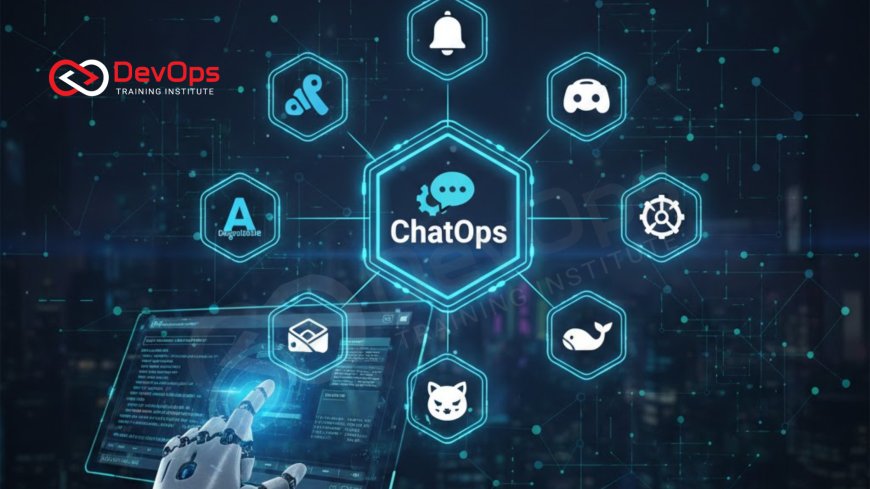
Introduction to the ChatOps Revolution
ChatOps is a collaborative model that connects people, tools, and processes into a single conversational interface. By bringing operational tasks into the chat applications that teams already use every day, organizations can transparency and speed up their development cycles. This approach allows engineers to execute commands, trigger deployments, and monitor system health without ever leaving their primary communication window. It effectively turns the chat room into a shared command line interface where every action is visible to the entire team.
The rise of ChatOps is largely driven by the need for better visibility and reduced context switching in complex software environments. When a team member executes a command in a shared channel, everyone else sees the command and the resulting output, which serves as a form of real time documentation and training. This transparency helps eliminate information silos and ensures that knowledge is distributed across the team rather than being trapped in individual terminal sessions or private emails. It is a fundamental shift in how modern engineering teams interact with their infrastructure.
The Core Benefits of Conversational Automation
Implementing a robust ChatOps strategy provides several distinct advantages for high performing engineering teams. One of the most significant benefits is the drastic reduction in the time it takes to respond to incidents. Instead of navigating through multiple dashboards and login screens during an emergency, responders can query logs and restart services directly through a chat bot. This streamlined workflow minimizes downtime and allows for a more coordinated effort when resolving critical system failures under pressure.
Beyond incident response, ChatOps fosters a culture of shared responsibility and continuous learning. New team members can observe how senior engineers interact with the system simply by scrolling through the chat history. This exposure to live operations acts as a powerful onboarding tool and helps build confidence in junior developers. Furthermore, because the tools are accessible via a conversational interface, non technical stakeholders can also gain visibility into the status of deployments or system health without needing deep technical expertise in command line tools.
Slack as the Foundation for Modern Integration
Slack has become the de facto standard for many organizations looking to build a ChatOps ecosystem due to its massive library of integrations and flexible API. It provides a highly customizable environment where developers can create specific channels for different microservices, environments, or projects. By using Slack apps and webhooks, teams can receive real time alerts from monitoring tools and interact with their continuous synchronization workflows directly. This makes Slack more than just a messaging app; it acts as a central nervous system for operations.
The platform supports a wide variety of bots that can perform tasks ranging from simple information retrieval to complex multi stage deployments. Teams can use slash commands to trigger specific actions, such as fetching the status of a build or rolling back a faulty release. The rich text formatting and interactive buttons available in Slack make it easy to build user friendly interfaces for complex technical tasks. This level of interactivity ensures that engineers can manage their cloud architecture patterns with precision and ease during their daily routines.
Microsoft Teams for Enterprise Collaboration
For organizations heavily invested in the Microsoft ecosystem, Microsoft Teams offers a powerful and secure platform for ChatOps. It integrates deeply with Azure DevOps and other enterprise tools, providing a seamless experience for teams who need to manage large scale projects. The platform emphasizes security and compliance, making it an attractive choice for industries with strict regulatory requirements. With its built in support for tabs and specialized apps, Teams allows developers to bring their existing dashboards directly into the collaborative space.
One of the key strengths of Microsoft Teams in a DevOps context is its ability to centralize communication across different departments. It bridges the gap between development, operations, and business units by providing a unified interface for all stakeholders. Teams can use the Power Platform to create low code solutions that automate repetitive tasks, such as approving pull requests or notifying stakeholders of a successful release. This versatility makes it a cornerstone for cultural change within large enterprises aiming to adopt modern agile practices effectively.
Comparison of Leading ChatOps Solutions
| Tool Name | Primary Focus | Key Integration | Best For |
|---|---|---|---|
| Slack | General Collaboration | GitHub, AWS | High growth startups |
| Mattermost | Self hosted Messaging | GitLab, Jira | Security conscious firms |
| PagerDuty | Incident Response | Datadog, Splunk | On call reliability |
| StackStorm | Event Driven Automation | Docker, Kubernetes | Complex workflows |
| Hubot | Customizable Bot | Scriptable APIs | Extensible automation |
Open Source Alternatives for Data Privacy
For teams that require total control over their data and infrastructure, open source ChatOps tools like Mattermost and Rocket Chat are excellent choices. These platforms can be self hosted on private servers, ensuring that sensitive operational data never leaves the internal network. This is particularly important for organizations handling financial or healthcare information where data residency is a critical concern. These tools offer many of the same features as their proprietary counterparts, including webhooks, slash commands, and robust mobile applications.
Self hosted options also allow for deeper customization at the source code level. Engineering teams can modify the platform to suit their specific security protocols or integrate it with bespoke internal tools that aren't supported by standard commercial platforms. Using these tools often involves managing the underlying containerd instances or virtual machines, which gives DevOps engineers full visibility into the messaging stack itself. This level of control is a major draw for teams committed to the principles of open source software and digital sovereignty.
Automating Incident Management and Response
The true power of ChatOps is often realized during high pressure incident management scenarios. Tools like PagerDuty and Opsgenie provide specialized integrations that turn a chat channel into a dedicated war room. When an alert is triggered, these tools automatically create a channel, invite the necessary on call engineers, and provide relevant context from monitoring systems. This automated setup saves precious minutes and ensures that the right people have all the information they need to begin troubleshooting immediately without searching through different logs.
Within these incident channels, teams can use bots to perform common diagnostic tasks. For example, a bot can be programmed to fetch the latest deployment logs or provide a summary of recent changes to the production environment. By using ChatOps techniques, the entire history of the incident is recorded in the chat log, which is invaluable for later analysis and post mortem reporting. This historical record helps teams understand the sequence of events and identify areas where their automated responses can be further improved in the future.
Essential Tools for ChatOps Success
- Hubot: Originally developed by GitHub, this is one of the most famous and flexible bot frameworks used to automate tasks.
- StackStorm: A powerful platform for event driven automation that connects your existing tools and workflows through a central hub.
- Lita: A bot framework written in Ruby that is designed to be easy to use and highly extensible for various chat platforms.
- Errbot: A Python based chat bot that allows you to start small and grow your automation capabilities as your team needs evolve.
- Cog: A tool designed to bring the power of the command line to your chat platform with a focus on security and access control.
- PagerDuty: While primarily an alerting tool, its chat integrations are vital for modern incident response and resolution workflows.
- GitLab Duo: Brings artificial intelligence and automation directly into the GitLab ecosystem to help with code reviews and deployment status.
Choosing the right combination of these tools depends on your team's specific requirements and existing technical stack. Most successful DevOps teams start with one or two key integrations and gradually expand their ChatOps capabilities as they become more comfortable with the conversational interface. The goal is to choose tools that enhance collaboration without introducing unnecessary complexity or security risks to the environment. Integrating secret scanning tools into this flow can also help ensure that no sensitive credentials are accidentally shared within the chat channels.
Conclusion and Future Outlook
In conclusion, ChatOps has evolved from a niche experiment into a critical component of the modern DevOps toolkit. By unifying communication and automation, it allows teams to operate with greater speed, transparency, and accuracy. Whether you choose a proprietary platform like Slack or an open source solution like Mattermost, the key is to focus on reducing friction in your workflows. As artificial intelligence continues to advance, we can expect to see even more sophisticated AI augmented devops capabilities within our chat interfaces, making our operations more intuitive than ever before.
Looking ahead, the integration of security and continuous feedback loops will remain a top priority for organizations. Implementing Kubernetes admission controllers and other policy enforcement tools through chat will help maintain high standards without slowing down development. The ultimate goal of ChatOps is to empower every member of the team to contribute to a stable and efficient production environment. By embracing these tools today, you are setting your team up for success in an increasingly complex digital landscape where rapid collaboration is the primary competitive advantage.
Frequently Asked Questions
What is the main goal of using ChatOps in a DevOps environment?
The primary goal is to increase transparency and speed by allowing teams to execute and monitor operational tasks within their shared chat applications.
Can ChatOps tools help with security and compliance?
Yes, these tools provide a clear audit trail of all actions taken by the team, which is essential for maintaining compliance and security standards.
Is Slack the only platform that supports ChatOps?
No, many other platforms like Microsoft Teams, Mattermost, and Discord offer robust support for bots and integrations needed for successful ChatOps implementation.
How does a bot typically interact with other DevOps tools?
Bots usually connect to other tools via APIs and webhooks, allowing them to send alerts or receive commands from the chat interface effectively.
What is Hubot and why is it popular?
Hubot is an open source bot framework that is highly customizable, allowing developers to write their own scripts to automate almost any task.
Can non technical team members use ChatOps?
Yes, because the interface is conversational, non technical staff can easily check status updates or trigger simple reports without learning complex command lines.
Do ChatOps tools replace traditional monitoring dashboards?
They do not replace them but rather complement them by bringing critical alerts and simple actions into the space where the team is communicating.
Are there any risks associated with using ChatOps?
The main risks include accidental command execution and potential security vulnerabilities if the bot has too much access to the underlying infrastructure systems.
How do I start implementing ChatOps in my team?
Start by identifying a single repetitive task, like checking build status, and integrate a bot to handle that task within a dedicated channel.
Can ChatOps help with remote team collaboration?
Absolutely, it is one of the best ways to keep remote teams aligned as everyone can see the work being done in real time.
What role does AI play in modern ChatOps?
AI can help by providing intelligent suggestions, summarizing long incident threads, and even predicting potential system failures before they occur in the environment.
Is it possible to use ChatOps with Kubernetes?
Yes, many tools are designed specifically to manage Kubernetes clusters, allowing you to view pods or scale deployments directly from your chat window.
Does ChatOps improve the onboarding process for new hires?
It provides a visible history of how the team operates, which serves as a great learning resource for new engineers joining the organization.
Can I build my own ChatOps bot from scratch?
Yes, using frameworks like Errbot or Lita, you can develop a custom bot that fits your team's unique requirements and existing internal workflows.
How does ChatOps impact incident response times?
By bringing all tools into one place, it significantly reduces the time spent switching between apps, leading to much faster incident resolution times.
What's Your Reaction?
 Like
0
Like
0
 Dislike
0
Dislike
0
 Love
0
Love
0
 Funny
0
Funny
0
 Angry
0
Angry
0
 Sad
0
Sad
0
 Wow
0
Wow
0

![100+ Azure DevOps Interview Questions and Answers [Updated 2025]](https://www.devopstraininginstitute.com/blog/uploads/images/202509/image_140x98_68c40aa9a3834.jpg)






![Future Scope of DevOps Careers in Pune [Updated 2025]](https://www.devopstraininginstitute.com/blog/uploads/images/202510/image_140x98_68e3a84652312.jpg)


