


































![Kong Interview Preparation Guide [2025]](https://www.devopstraininginstitute.com/blog/uploads/images/202509/image_430x256_68dbb95326997.jpg)
















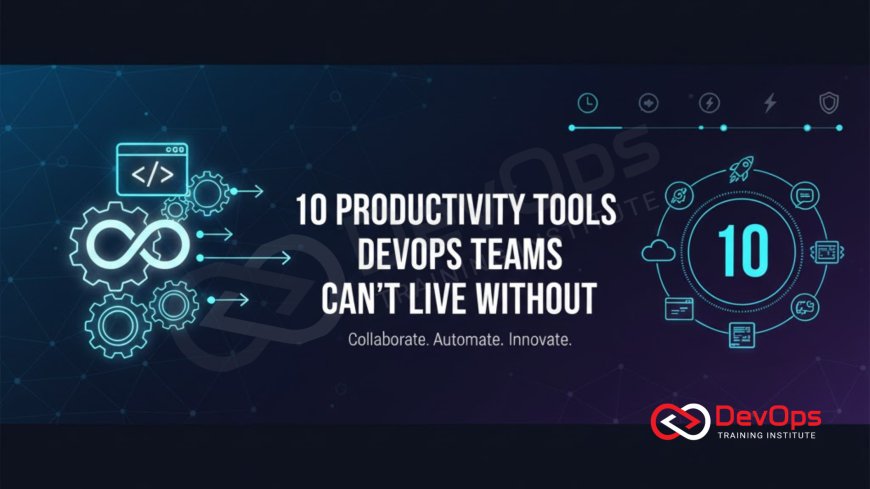
10 Productivity Tools DevOps Teams Can’t Live Without
Discover the most essential productivity tools that modern engineering teams use to streamline their workflows and enhance system reliability. This comprehensive guide explores ten transformative solutions for automation, monitoring, and collaboration that empower professionals to deliver high quality software faster. Learn how these tools integrate into the daily lives of developers and operations experts to reduce manual toil, improve communication, and ensure operational excellence across complex cloud environments in today's fast paced technology landscape.
Introduction to DevOps Productivity
The world of software development and operations moves at an incredible speed, requiring teams to be more agile and efficient than ever before. Productivity in this field is not just about typing faster; it is about choosing the right software that automates repetitive tasks and provides clear visibility into complex systems. When engineers have the right tools at their disposal, they can focus on solving high level problems and innovating rather than getting bogged down by manual maintenance and constant firefighting.
In this article, we will delve into ten essential tools that have become the backbone of high performing engineering teams globally. These tools cover everything from communication and project management to automated deployments and real time system analysis. By understanding how these solutions work together, you can build a robust ecosystem that supports a healthy and fast paced development culture. Let us explore the technologies that make modern software delivery possible and why they are considered indispensable by experts in the industry today.
Streamlining Communication and Collaboration
Effective communication is the heartbeat of any successful project, especially in environments where developers and operations teams must work in lockstep. Tools like Slack and Microsoft Teams have revolutionized how information flows within an organization. By creating dedicated channels for specific projects, incidents, or even automated alerts, these platforms ensure that everyone stays informed without the clutter of traditional email. This real time interaction is vital for rapid decision making and maintaining a unified vision across different departments.
Beyond simple chat, these platforms integrate with nearly every other technical tool in the stack. Imagine getting a notification when a build fails or when a high priority bug is reported, all within the same interface where you discuss strategy. This central hub for information reduces the time spent switching between applications and helps maintain context. When communication is seamless, the entire team can respond to challenges more effectively, fostering a culture of transparency and shared responsibility that is fundamental to achieving platform engineering success in scalable environments.
Automation Through Infrastructure as Code
Manual server configuration is a thing of the past for productive teams. Tools like Terraform and Ansible allow engineers to define their entire infrastructure using simple, human readable code. This practice, known as Infrastructure as Code, ensures that environments are consistent, repeatable, and version controlled. Instead of clicking through a cloud console for hours, a developer can update a configuration file and deploy an entire network in minutes. This level of automation is a massive boost to overall productivity and reduces the risk of human error.
Using these tools allows for a much more organized approach to managing cloud resources across multiple providers. It enables teams to treat their infrastructure with the same rigor as their application code, including peer reviews and automated testing. This systematic approach is often part of a broader gitops strategy, where the state of the infrastructure is always synchronized with a central repository. By removing the guesswork from provisioning, teams can spend more time building features and less time untangling messy environment discrepancies that often lead to deployment failures.
Continuous Integration and Delivery Platforms
The path from a developer's laptop to a production server should be as smooth as possible. CI and CD platforms like Jenkins, GitLab CI, and GitHub Actions provide the automation necessary to build, test, and deploy code automatically. These tools act as a quality filter, ensuring that only code that passes rigorous automated checks is ever released to users. This constant feedback loop allows developers to find and fix bugs early in the process, which is much cheaper and faster than dealing with issues after a major release.
Modern delivery platforms also support advanced techniques that minimize risk during updates. For example, a team can use these tools to manage a canary release, where a new version of the software is slowly rolled out to a small percentage of users. If no errors are detected, the rollout continues to the rest of the population. This level of control provides a safety net that encourages teams to release more frequently, knowing they can quickly revert changes if something goes wrong. This iterative approach is the cornerstone of high velocity software delivery in the modern era.
Table: Top DevOps Productivity Tools Comparison
| Tool Category | Primary Purpose | Popular Examples | Productivity Impact |
|---|---|---|---|
| Communication | Real-time team collaboration | Slack, Microsoft Teams | Reduces email clutter and speeds up response times. |
| CI/CD | Automated build and deployment | Jenkins, GitHub Actions | Ensures fast, reliable, and error-free code releases. |
| Monitoring | System health and metrics | Prometheus, Grafana | Provides visibility and alerts for proactive maintenance. |
| Infrastructure | Infrastructure as Code | Terraform, Ansible | Speeds up provisioning and ensures environment consistency. |
| Issue Tracking | Project and task management | Jira, Trello | Keeps projects organized and team members accountable. |
Monitoring and Deep System Observability
You cannot improve what you cannot measure. Monitoring tools like Prometheus and Datadog provide the data necessary to keep systems running smoothly. These tools collect thousands of data points every second, from CPU usage to application response times. When something goes wrong, automated alerting systems notify the right people immediately, often before the users even notice a problem. This proactive approach to maintenance is essential for maintaining high availability and a positive user experience.
Understanding the nuances of observability helps teams go beyond knowing a system is "up" or "down." It allows engineers to ask complex questions about why a system is behaving a certain way. By correlating logs, metrics, and traces, developers can pinpoint the exact cause of a performance bottleneck or a strange error. This deep insight is vital for optimizing resources and ensuring that the application can scale efficiently to meet increasing demand without wasting expensive cloud credits or hardware power.
Enhancing Security Through Integrated Tools
Security is no longer a separate phase at the end of the development cycle; it is now integrated into every step. Productive teams use automated security scanning tools to check for vulnerabilities in their code and dependencies every time a change is made. This "security as code" approach ensures that potential threats are identified and mitigated long before they reach production. By automating these checks, developers can move fast without compromising the safety of user data or the integrity of the system.
This holistic approach is a core part of how devsecops works in modern organizations. By using tools that automatically scan container images and cloud configurations, teams can maintain compliance effortlessly. This not only protects the company from breaches but also saves an enormous amount of time during audits. When security is part of the daily workflow, it becomes a facilitator of speed rather than a bottleneck, allowing the organization to innovate with confidence and provide a secure environment for all its customers.
Improving Resilience with Innovative Testing
In a complex distributed system, failures are inevitable. Productive teams do not just wait for failures to happen; they use tools to proactively test their system's resilience. This involves using scripts to deliberately inject faults, such as network delays or server crashes, to see how the application recovers. This proactive practice helps engineers design more robust systems that can survive real world disasters with minimal impact on the end users. It’s about building a system that is resilient by design.
By implementing chaos engineering as part of the regular testing suite, teams can uncover hidden weaknesses that traditional tests might miss. These experiments provide valuable data that informs architectural decisions and capacity planning. This disciplined approach to reliability ensures that the team can handle unexpected traffic spikes or infrastructure outages with ease. Over time, this builds a highly dependable platform that users can trust, directly contributing to the long term success and reputation of the digital product in a competitive market.
Optimizing Workflows with Feature Management
One of the biggest productivity killers is the "big bang" release, where hundreds of changes are deployed at once. Modern teams avoid this by using feature management tools that allow them to decouple deployment from release. This means code can be moved to production servers while staying hidden behind a toggle. This practice allows for safer testing in a live environment and gives the business team the power to turn features on or off for specific groups of users without needing a new code deployment.
- Developers can merge code more frequently, reducing the complexity of long lived feature branches.
- The team can run A/B tests to see which version of a feature performs better with real users.
- If a new feature causes an issue, it can be instantly turned off with a single click, providing a much faster recovery than a full rollback.
- Feature flags allow for gradual rollouts, minimizing the "blast radius" of potential bugs.
Learning how do feature flags enable safe continuous deployment is a game changer for any engineering team. It transforms the release process from a high stakes event into a routine, low risk operation. This flexibility allows for much more experimental and user centric development, as teams can gather feedback quickly and iterate on their ideas. Ultimately, these tools provide the control and safety needed to maintain a high velocity while ensuring that the production environment remains stable and reliable for everyone.
Conclusion
The productivity of a modern engineering team is deeply tied to the tools they choose to support their daily operations. We have explored ten essential categories that help reduce manual toil, improve communication, and ensure that systems are both secure and resilient. From the foundational importance of clear collaboration in Slack to the advanced safety of feature flags and automated security scans, these tools empower professionals to do their best work. By investing in a well integrated toolchain, organizations can achieve a perfect balance between speed and reliability. This allows developers to focus on what they do best: building amazing products that solve real problems for users. As the technology landscape continues to evolve, the teams that embrace these productive habits and tools will be the ones that lead the way in innovation and operational excellence. Remember that the ultimate goal is not just to use more tools, but to use them strategically to create a better environment for both engineers and the customers they serve.
Frequently Asked Questions
What is a CI/CD tool?
A CI/CD tool automates the building, testing, and deployment of code to ensure fast and reliable software delivery cycles.
How does Slack improve productivity?
Slack centralizes team communication and integrates with technical tools to provide real-time updates on build status and system alerts.
What is Infrastructure as Code?
Infrastructure as Code is the practice of managing and provisioning computing resources through machine-readable definition files rather than manual configuration.
Why is monitoring important?
Monitoring provides real-time data on system health, allowing teams to detect and resolve issues before they impact the end users.
What are feature flags?
Feature flags are toggles that allow developers to turn features on or off without redeploying code, enabling safe testing in production.
How does automation help with security?
Automation performs continuous security scans on code and configurations, finding vulnerabilities early in the development process to prevent breaches.
What is chaos engineering?
Chaos engineering is the practice of deliberately injecting failures into a system to test its resilience and improve recovery mechanisms.
Why use Jira for DevOps?
Jira helps teams track tasks, manage project timelines, and maintain accountability across the entire development and operations lifecycle effectively.
What is observability?
Observability is the ability to understand a system's internal state by looking at its external data, such as logs and metrics.
How do tools help reduce manual toil?
By automating repetitive tasks like server setup and code testing, tools free up engineers to focus on more strategic work.
Can I use multiple tools together?
Yes, most modern tools are designed to integrate seamlessly with each other to create a unified and powerful development ecosystem.
What is a canary release?
A canary release is a deployment strategy where a new version is released to a small group of users first to verify stability.
How do I choose the right tools?
Choose tools based on your team's specific needs, your current infrastructure, and how well they integrate with your existing workflow.
What is GitOps?
GitOps is a set of practices where the desired state of infrastructure and applications is defined in a Git repository.
Are these tools suitable for small teams?
Absolutely, many of these tools offer free or low-cost tiers that provide significant productivity benefits for teams of any size.
What's Your Reaction?
 Like
0
Like
0
 Dislike
0
Dislike
0
 Love
0
Love
0
 Funny
0
Funny
0
 Angry
0
Angry
0
 Sad
0
Sad
0
 Wow
0
Wow
0

![100+ Azure DevOps Interview Questions and Answers [Updated 2025]](https://www.devopstraininginstitute.com/blog/uploads/images/202509/image_140x98_68c40aa9a3834.jpg)






![Future Scope of DevOps Careers in Pune [Updated 2025]](https://www.devopstraininginstitute.com/blog/uploads/images/202510/image_140x98_68e3a84652312.jpg)


