


































![Kong Interview Preparation Guide [2025]](https://www.devopstraininginstitute.com/blog/uploads/images/202509/image_430x256_68dbb95326997.jpg)
















12 Best Node Management Tools for Kubernetes
Managing the physical and virtual servers that power your containers is a critical task for any modern infrastructure team. This comprehensive guide explores the twelve best node management tools for Kubernetes, helping you automate scaling, improve resource efficiency, and enhance system reliability. Discover how these professional solutions streamline maintenance, optimize cloud costs, and simplify complex cluster operations for engineers and operations teams looking to achieve high performance in cloud native environments today.
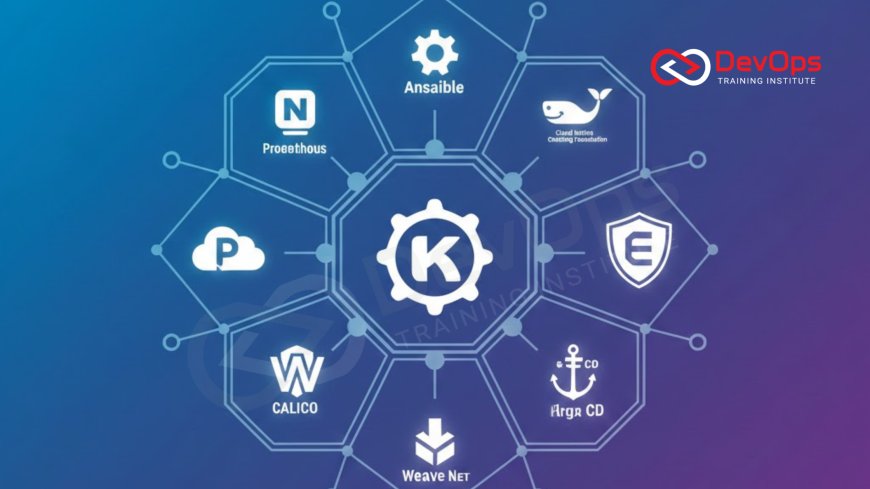
Introduction to Kubernetes Node Management
Kubernetes has fundamentally changed how we deploy and manage applications, but at its heart, it still relies on servers known as nodes. These nodes, whether they are physical hardware in a data center or virtual machines in the cloud, provide the actual computational power, memory, and storage that your containers need to run. Managing these nodes effectively is the difference between a high performing, cost efficient system and one that is plagued by downtime and waste. As clusters grow in size and complexity, manual management becomes impossible, making specialized tools essential for modern teams.
Node management involves several key tasks, including provisioning new nodes, updating their operating systems, monitoring their health, and scaling them up or down based on the actual needs of the application. The goal is to ensure that the cluster always has exactly the right amount of capacity. Too little capacity leads to slow performance or crashes, while too much capacity leads to wasted money. In the following sections, we will explore twelve of the most effective tools available today that help automate these processes, allowing engineers to focus on building great software instead of babysitting servers.
Automated Scaling and Resource Provisioning
One of the most powerful aspects of modern node management is the ability to scale resources automatically. Tools in this category watch the demands of your application and add or remove nodes in real time. This ensures that during a traffic spike, new nodes are provisioned almost instantly to handle the load. Conversely, when traffic is low, the tools can shut down unnecessary nodes to save on costs. This dynamic approach is far more efficient than the traditional method of keeping a fixed number of servers running at all times.
A prime example of this innovation is Karpenter, an open source project designed specifically to work with various cloud providers to improve the speed and flexibility of node provisioning. Unlike older tools that rely on rigid groups of similar nodes, modern scalers can select the best instance type for the specific task at hand. This level of precision is a key part of how platform engineering helps teams build scalable environments that are both robust and economical, ensuring that the underlying hardware perfectly matches the software's requirements.
Unified Control Planes and Management Suites
For organizations managing multiple clusters across different regions or cloud providers, a unified control plane is indispensable. These suites provide a single dashboard where you can see the health and status of every node in your entire organization. They simplify complex tasks like upgrading Kubernetes versions across hundreds of nodes or ensuring that security patches are applied consistently. By centralizing management, these tools reduce the risk of human error and ensure that your infrastructure remains stable and secure.
Rancher and Red Hat OpenShift are leading examples of these comprehensive suites. They offer deep integration with the Kubernetes API while adding a user friendly layer for managing node lifecycles. These platforms allow you to define node configurations as code, making it easy to replicate environments for testing or production. This systematic approach ensures that every server is configured exactly the same way, which is a fundamental requirement for achieving high reliability and predictable performance in large scale distributed systems where consistency is paramount.
Visual and Terminal Based Node Insights
While automation handles the bulk of the work, engineers still need ways to look inside their clusters to troubleshoot issues or perform manual maintenance. Visual tools like Lens provide a rich graphical interface that makes it easy to see resource consumption and logs for every node. For those who prefer the speed of the command line, tools like K9s offer a powerful terminal interface that allows for rapid navigation and interaction with the cluster. These tools are essential for gaining a deep understanding of how your nodes are behaving under different conditions.
Providing these insights is a core part of the data required for effective observability within your infrastructure. When a node starts acting strangely, these tools allow you to quickly identify if the problem is related to high CPU usage, memory leaks, or network bottlenecks. By having easy access to this information, teams can diagnose and fix problems much faster, reducing the time to resolution and ensuring that the application remains available to users. These tools bridge the gap between high level automation and low level system details.
Table: Top Kubernetes Node Management Tools
| Tool Name | Primary Category | Key Function | Best For |
|---|---|---|---|
| Karpenter | Autoscaling | Rapid, flexible node provisioning based on pod needs. | AWS and multi-cloud cost optimization. |
| Cluster Autoscaler | Autoscaling | Standard K8s tool for scaling node groups. | General purpose cloud scaling. |
| Rancher | Management Suite | Multi-cluster management and unified dashboard. | Enterprise multi-cloud environments. |
| Lens | Visualization | Graphical IDE for interacting with clusters. | Developers and visual learners. |
| K9s | CLI Dashboard | Fast terminal interface for K8s objects. | CLI-focused sysadmins and power users. |
| Kube-bench | Security | Checks nodes against CIS security benchmarks. | Compliance and security auditing. |
| Node Problem Detector | Monitoring | Detects hardware and OS level issues. | Proactive system health management. |
Cost Optimization and Financial Governance
One of the biggest challenges in managing Kubernetes at scale is keeping cloud costs under control. Nodes are often the most expensive part of a cluster, and without proper management, it is easy to spend thousands of dollars on servers that are not being used efficiently. Tools that provide visibility into spending and suggest ways to optimize resource allocation are becoming vital. They help teams understand the cost impact of their architectural decisions, enabling them to make better choices for the business.
Integrating finops principles into your node management strategy allows you to track spending by project, team, or application. Tools like Kubecost provide real time estimates of how much each node is costing and identify waste, such as over-provisioned CPU or idle volumes. This financial transparency ensures that the engineering team is aligned with the company's budget, allowing for sustainable growth and a more efficient use of cloud resources across the entire lifecycle of the application.
Ensuring Node Security and Compliance
Security is a paramount concern for any production cluster. Nodes are potential entry points for attackers, and ensuring that they are configured correctly and kept up to date is a never ending task. Specialized security tools can scan your nodes for vulnerabilities, check for weak configurations, and ensure that they comply with industry standards like the CIS benchmarks. These tools provide automated reports and alerts, helping you maintain a strong security posture without manual auditing.
[Image of the human digestive system]
This automated security is a key part of how devsecops is implemented in modern teams. By integrating security checks directly into the node provisioning process, you can ensure that every server meets your organization's standards from the moment it is created. This proactive approach reduces the attack surface and ensures that security is not an afterthought but a fundamental part of how your infrastructure is built and managed, providing peace of mind for both engineers and stakeholders.
Proactive Node Maintenance and Resilience
Nodes will eventually fail, whether due to hardware issues, kernel panics, or simple wear and tear. A resilient system is one that can handle these failures automatically without impacting the end user. Tools like the Node Problem Detector watch for specific system level errors and report them to the Kubernetes control plane. This allows the system to automatically drain pods from a faulty node and move them to a healthy one, ensuring that the application remains available even during physical failures.
To further improve resilience, some teams use chaos engineering to deliberately inject failures into their nodes and see how the cluster reacts. This helps identify hidden weaknesses in the auto-healing logic or network configuration. By testing these failure scenarios in a controlled environment, teams can build more robust systems that are capable of surviving real world disasters. This disciplined approach to reliability ensures that your infrastructure can handle the unpredictable nature of cloud environments with confidence and ease.
Infrastructure as Code and GitOps for Nodes
The modern way to manage nodes is through automation and code. By defining your node configurations in files that are stored in a version control system like Git, you gain all the benefits of software development for your infrastructure. This includes peer reviews, automated testing, and a clear audit trail of every change. This approach ensures that your environments are consistent and that any member of the team can understand how the infrastructure is configured simply by looking at the code.
- Scripts can automate the installation of essential tools and security agents on every new node.
- Version control allows you to quickly roll back to a previous node configuration if a change causes issues.
- Automated pipelines can verify that new node templates meet security and performance standards before they are used.
- Declarative configurations make it easy to manage nodes across multiple cloud providers with a single source of truth.
Implementing gitops for your node management ensures that the actual state of your cluster always matches the desired state defined in your repository. This level of automation reduces the need for manual login and command execution, which significantly lowers the risk of human error. It also allows the team to implement complex deployment strategies such as canary releases for infrastructure changes, further minimizing the risk to users during major updates to the underlying nodes.
Conclusion
Effectively managing nodes is the foundation of any successful Kubernetes deployment. We have explored twelve of the best tools that help automate scaling, enhance security, and improve overall system resilience. From the rapid provisioning capabilities of Karpenter and the unified management of Rancher to the proactive maintenance provided by health detectors and chaos testing, these solutions empower teams to build highly reliable and cost effective infrastructure. By embracing automation and treating your nodes as code, you can reduce manual toil, minimize human error, and ensure that your applications always have the resources they need to thrive. As the cloud native landscape continues to evolve, the tools and strategies we use to manage our servers will remain a defining factor in our ability to deliver high quality software with speed and confidence. Whether you are just starting your Kubernetes journey or managing a massive global fleet of servers, investing in the right node management tools will pay dividends in the form of improved performance, reduced costs, and a more stable environment for your users.
Frequently Asked Questions
What is a Kubernetes node?
A node is a worker machine in Kubernetes, which can be either a virtual or a physical machine depending on the cluster's setup.
Why do I need node management tools?
These tools automate repetitive tasks like scaling, patching, and monitoring, ensuring your cluster remains efficient, secure, and cost-effective at all times.
How does Karpenter differ from the Cluster Autoscaler?
Karpenter is faster and more flexible, provisioning nodes based on specific pod requirements rather than just adding more servers to existing groups.
Can I manage nodes on different clouds at once?
Yes, many management suites like Rancher and OpenShift allow you to control nodes across multiple cloud providers from a single unified dashboard.
What are node labels and taints?
Labels are used to identify nodes for scheduling pods, while taints are used to repel certain pods unless they have a matching toleration.
Is it possible to manage nodes as code?
Absolutely, using Infrastructure as Code tools allows you to define, version, and automate your node configurations just like you do with application software.
How does node management impact cloud costs?
By scaling down idle nodes and optimizing resource allocation, these tools help ensure you only pay for the infrastructure you actually need.
What is the Node Problem Detector?
It is a daemon that runs on nodes to detect system issues and report them to the Kubernetes API so corrective action can be taken.
How do I secure my Kubernetes nodes?
Use tools to scan for vulnerabilities, enforce security benchmarks, and integrate automated patching to keep your underlying operating systems safe and compliant.
Can I use Kubernetes without managing nodes?
Yes, serverless Kubernetes offerings like AWS Fargate or Google Cloud Run allow you to run containers without worrying about the underlying node infrastructure.
What happens if a node fails?
Kubernetes will detect the failure and automatically reschedule the affected pods onto other healthy nodes to maintain your application's availability and uptime.
Should I use bare metal or virtual nodes?
Virtual machines offer more flexibility and easier scaling, while bare metal nodes provide better performance for data-heavy or low-latency applications and services.
What is node draining?
Draining is the process of safely evicting all pods from a node so it can be taken down for maintenance or scaling without downtime.
How do feature flags relate to nodes?
While often used for software, you can use feature flags to safely enable new infrastructure configurations or management agents across your fleet of nodes.
What is shift-left testing for nodes?
Applying shift-left testing means validating your node configurations and security policies early in the development pipeline before they reach the production environment.
What's Your Reaction?
 Like
0
Like
0
 Dislike
0
Dislike
0
 Love
0
Love
0
 Funny
0
Funny
0
 Angry
0
Angry
0
 Sad
0
Sad
0
 Wow
0
Wow
0


![100+ Azure DevOps Interview Questions and Answers [Updated 2025]](https://www.devopstraininginstitute.com/blog/uploads/images/202509/image_140x98_68c40aa9a3834.jpg)






![Future Scope of DevOps Careers in Pune [Updated 2025]](https://www.devopstraininginstitute.com/blog/uploads/images/202510/image_140x98_68e3a84652312.jpg)


