Jenkins vs GitLab CI vs CircleCI: Config Compared
Jenkins vs GitLab CI/CD vs CircleCI compared at config level: same pipeline in each, agents, secrets, reuse, approvals, caching and how to choose.
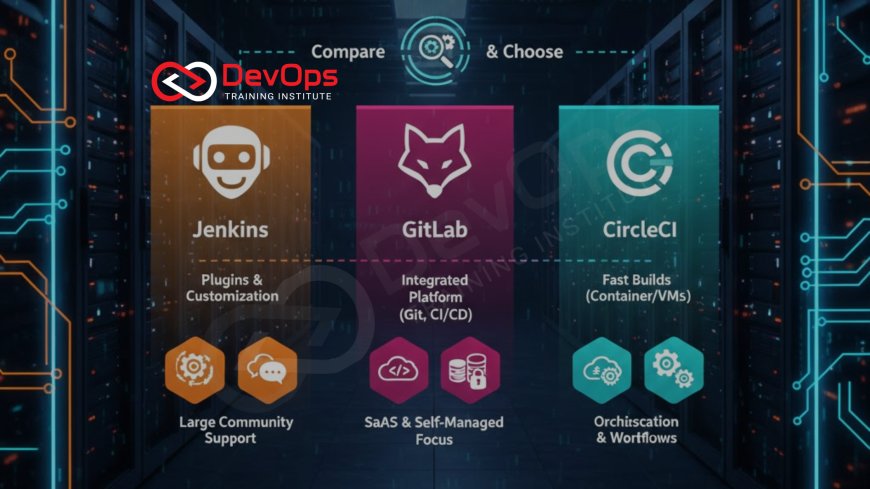
Jenkins, GitLab CI/CD and CircleCI all run build, test and deploy pipelines, but they differ in where they run and how you configure them. Jenkins is a self-hosted server you extend with plugins and Groovy Jenkinsfiles. GitLab CI/CD is built into GitLab and reads a .gitlab-ci.yml file. CircleCI is mainly a hosted service configured with .circleci/config.yml and reusable orbs.
This post compares the three at the configuration level: the same small pipeline written three ways, how each handles agents, secrets, reuse and approvals, and how a team should decide between them. If you are a learner choosing which tool to study first, our companion post Jenkins vs GitLab CI vs CircleCI: Which to Learn? answers that question. Training for Bangalore learners is live online only; our classroom is in Kharadi, Pune.
Key takeaways
- Jenkins gives the most control and the most maintenance. You own the controller, agents, plugins and upgrades. The current LTS line is 2.580.x.
- GitLab CI/CD fits teams already hosting code on GitLab. Pipelines, runners, environments and merge request checks sit in one product.
- CircleCI suits teams that want hosted builds with little infrastructure to run. Orbs package reusable configuration, and self-hosted runners exist when builds must stay private.
- The core concepts (stages or jobs, agents or runners or executors, caching, artifacts, secrets, approvals) are the same in all three. Learn one deeply and the others follow.
- Decide on hosting model, Git platform and security requirements first. Feature lists matter less than those three.
At a glance
| Aspect | Jenkins | GitLab CI/CD | CircleCI |
|---|---|---|---|
| Hosting | Self-hosted controller and agents | GitLab.com or self-managed GitLab; GitLab-hosted or self-managed runners | Hosted cloud service; self-hosted runners available |
| Config file | Jenkinsfile (Groovy-based Declarative or Scripted Pipeline) | .gitlab-ci.yml (YAML) | .circleci/config.yml (YAML, version 2.1) |
| Where work runs | Agents: static nodes, Docker, or Kubernetes pods via the Kubernetes plugin | Runners with executors such as shell, Docker or Kubernetes | Executors: docker, machine, macos, windows |
| Reuse | Shared libraries, plugins | include, templates, CI/CD components | Orbs, commands, reusable executors |
| Secrets | Credentials store, credentials() helper | CI/CD variables (masked, protected), external secret integrations | Contexts and project environment variables |
| Manual approval | input step | when: manual jobs, protected environments | type: approval job in a workflow |
| Main cost of ownership | Running and upgrading servers and plugins | GitLab licence tier and runner capacity | Usage-based plan and build minutes |
Pricing changes often and depends on plan, so check each vendor's current pricing page rather than relying on a figure in any blog post.
The same pipeline in three tools
The clearest way to compare CI tools is to write one pipeline in each. The example below builds a Node.js app, runs tests, and deploys only from the main branch after tests pass. The deploy command is a placeholder script you would replace with your own.
Jenkins: Declarative Pipeline
pipeline {
  agent { docker { image 'node:22' } }
  options { timeout(time: 30, unit: 'MINUTES') }
  environment {
    DEPLOY_TOKEN = credentials('deploy-token')
  }
  stages {
    stage('Install') { steps { sh 'npm ci' } }
    stage('Test')    { steps { sh 'npm test' } }
    stage('Deploy') {
      when { branch 'main' }
      steps { sh './scripts/deploy.sh' }
    }
  }
  post {
    always { junit 'reports/**/*.xml' }
  }
}
Jenkins reads this file from the repository when a multibranch pipeline or pipeline job runs. The agent line asks Jenkins to run the stages inside a Docker container, which requires the Docker Pipeline plugin and Docker on the agent. The credentials() helper pulls a secret from the Jenkins credentials store by ID. The post block publishes test results whether the build passes or fails. Everything here depends on plugins being installed and kept current, which is where much of Jenkins' maintenance effort goes.
GitLab CI/CD
default:
  image: node:22

stages:
  - test
  - deploy

test:
  stage: test
  script:
    - npm ci
    - npm test
  artifacts:
    reports:
      junit: reports/*.xml

deploy:
  stage: deploy
  script:
    - ./scripts/deploy.sh
  environment: production
  rules:
    - if: $CI_COMMIT_BRANCH == "main"
GitLab picks up .gitlab-ci.yml from the repository root automatically. The default block sets the image for every job; GitLab's documentation notes that defining image at the top level outside default is deprecated. rules controls when a job is created, and environment records deployments so you can see what is running where. The deploy token would be a masked, protected CI/CD variable set in project settings rather than written in the file.
CircleCI
version: 2.1

jobs:
  test:
    docker:
      - image: cimg/node:22.11
    steps:
      - checkout
      - run: npm ci
      - run: npm test
      - store_test_results:
          path: reports
  deploy:
    docker:
      - image: cimg/node:22.11
    steps:
      - checkout
      - run: ./scripts/deploy.sh

workflows:
  build-and-deploy:
    jobs:
      - test
      - deploy:
          requires:
            - test
          context: production
          filters:
            branches:
              only: main
CircleCI separates jobs (what to run) from workflows (in what order and under what conditions). requires makes deploy wait for test, filters limits it to the main branch, and context attaches a named group of secrets. CircleCI's own convenience images use the cimg/ prefix; check the image registry for the exact Node tag you want before pinning it.
What the comparison shows
The three files express the same idea with different vocabulary. Jenkins mixes configuration and code, which is flexible but means a pipeline can grow into a small program. GitLab and CircleCI keep configuration declarative in YAML, which is easier to review but pushes complex logic into scripts or reusable components. In practice, teams on all three tools end up keeping real logic in shell or Python scripts in the repository and keeping the pipeline file thin. That habit makes switching tools much cheaper later.
Notice also how each tool handles the branch rule. Jenkins uses when { branch 'main' } inside the stage, GitLab uses rules with a predefined variable, and CircleCI applies filters in the workflow rather than in the job. Where the condition lives affects reuse: a CircleCI job can be reused with different filters in different workflows, while a Jenkins stage carries its condition with it. Small structural differences like this are what interviewers probe when they ask you to compare tools you have used.
Agents, runners and executors
Where jobs run is the biggest operational difference.
In Jenkins, the controller schedules work and agents do it. Agents can be permanent machines, Docker containers, or Kubernetes pods created per build through the Kubernetes plugin, which starts a pod for each agent and removes it after the build. You size, patch and secure all of this yourself. That is a burden, but it also means builds can sit inside a private network next to internal systems, which is often the reason a company keeps Jenkins.
In GitLab, runners pick up jobs. You can use runners hosted by GitLab on GitLab.com or register your own on servers or a Kubernetes cluster. Self-managed runners let you keep builds private while still using GitLab's interface and pipeline features.
In CircleCI, each job declares an executor type. The configuration reference lists docker, machine, macos and windows. The resource_class key sets CPU and memory and also labels pools of self-hosted runners for teams that need builds inside their own network.
Secrets and access control
All three tools can keep secrets out of the repository, but the models differ. Jenkins stores credentials on the controller and scopes them to folders or jobs. Because plugins and scripts run with access to those credentials, controller security and plugin hygiene matter a great deal. GitLab CI/CD variables can be masked in logs and marked protected so they are exposed only to pipelines on protected branches or tags. CircleCI contexts group secrets and can be restricted to security groups, so only approved people can trigger jobs that use them.
Whichever tool you use, prefer short-lived credentials over long-lived keys. All three can work with OpenID Connect so a pipeline can request temporary cloud credentials instead of storing a static key; check the specific tool and cloud provider documentation for the setup.
Reuse at scale
Once a company has dozens of repositories, copying pipeline files becomes a maintenance problem. Each tool solves this differently.
- Jenkins shared libraries hold Groovy functions in a separate repository that pipelines import. Plugins add steps and integrations. Our post on Jenkins plugins that make CI/CD easier covers the common ones.
- GitLab uses
includeto pull YAML from other files, projects or templates, and CI/CD components to publish versioned building blocks. Our GitLab CI/CD pipeline examples show these patterns. - CircleCI orbs package jobs, commands and executors into versioned, shareable units. Private orbs let a company share standard steps internally.
A platform team usually owns these shared pieces. Pin versions of shared libraries, components and orbs so a change in one place does not break every pipeline at once.
Approvals and deployment control
Production deploys usually need a human check or at least a branch rule. Jenkins offers an input step that pauses a pipeline until someone approves. GitLab supports manual jobs and protected environments, where only certain roles can deploy. CircleCI adds an approval job in a workflow that holds downstream jobs until someone clicks approve. All three can also be paired with GitOps, where the pipeline only updates a manifest and a tool such as Argo CD performs the deploy.
Speed: caching and parallel work
Slow pipelines are the most common complaint developers raise about CI, and all three tools offer the same two levers: cache what does not change, and run independent work at the same time.
In Jenkins, caching usually means keeping dependency directories on a persistent agent or mounting a shared volume into build containers. Ephemeral Kubernetes agents start clean every time, so teams often add a cache volume or a local package mirror. Parallel work uses the parallel block inside a stage, which runs nested stages at the same time, for example unit tests and linting side by side.
GitLab CI/CD has a cache keyword for files reused between pipelines and an artifacts keyword for files passed from one job to the next. The difference trips up beginners: cache is a best-effort speed-up, while artifacts are guaranteed outputs. The needs keyword lets a job start as soon as the jobs it depends on finish, instead of waiting for the whole previous stage, which shortens long pipelines noticeably.
CircleCI provides cache save and restore steps keyed on a checksum of the lock file, plus workspaces to pass files between jobs in a workflow. Jobs in a workflow run in parallel unless requires orders them, and test splitting can spread a large test suite across several containers.
Whichever tool you use, measure before tuning. Look at which step takes longest across the last twenty runs. Often a single slow integration test or an uncached dependency download accounts for most of the time, and fixing that one thing beats any general optimisation.
Debugging failed pipelines
Every CI tool fails in the same few ways: a dependency changed, a secret expired, a runner ran out of disk, or a test is flaky. The tools differ in how easy they make diagnosis.
Jenkins shows console output per build and a stage view, and replay lets you rerun a pipeline with an edited script without committing it, which is handy for testing a fix. Because agents are long-lived in many setups, "works on one agent, fails on another" problems are more common, and pinning builds to containers reduces them.
GitLab shows each job's log in the merge request, with retry buttons per job, and pipeline graphs that make dependency problems visible. CircleCI offers rerun options, including rerunning a workflow from the failed job, and a "Rerun job with SSH" option that lets you log into the build container to inspect it. In every tool, the most useful habit is the same: make the failing command reproducible locally by running it in the same container image the pipeline uses.
How a team should choose
Feature lists overlap heavily, so start with constraints instead.
- Where is the code? If it is on GitLab, GitLab CI/CD is the default choice unless there is a strong reason otherwise. If it is on GitHub or Bitbucket, Jenkins and CircleCI both integrate well, and GitHub Actions is also worth evaluating.
- Must builds stay inside a private network? Jenkins, self-managed GitLab runners and CircleCI self-hosted runners all allow this. Fully hosted builds may not satisfy every security review.
- Who will run it? A self-hosted Jenkins needs someone responsible for upgrades, plugin updates, backups and security advisories. Without that owner, a hosted option is safer.
- What already exists? Years of working Jenkinsfiles are an asset. Migrating them costs time and carries risk, so many companies run Jenkins alongside a newer tool for a long period.
- What do builds need? macOS builds for iOS apps, GPU workloads or very large monorepos each narrow the options. Test a real pipeline on each candidate before deciding.
Migration notes
Teams moving from Jenkins to GitLab CI/CD or CircleCI usually go repository by repository. Start with simple pipelines, move logic into scripts first so it can run anywhere, then translate the stage structure. Replace plugins with built-in features or scripts, recreate secrets in the new tool's store, and run both pipelines in parallel for a short time to compare results. Keep the old Jenkins jobs read-only until you are confident, rather than deleting them on day one.
For interview preparation on each tool, see our Jenkins interview questions, GitLab CI/CD interview questions and CircleCI interview questions. Our Jenkins training and GitLab training run as live online batches for Bangalore learners.
Frequently asked questions
Which is easiest to start with: Jenkins, GitLab CI or CircleCI?
GitLab CI/CD and CircleCI are usually quicker to start because there is no server to install; you add a YAML file to the repository. Jenkins needs a controller and plugins before the first build runs.
Can Jenkins run builds on Kubernetes?
Yes. The Kubernetes plugin creates a pod for each agent and removes it after the build, so build capacity scales with the cluster.
What is a CircleCI orb?
An orb is a versioned package of reusable CircleCI configuration, such as jobs, commands and executors, that you import into config.yml instead of copying steps between projects.
Can GitLab CI/CD be used with code hosted elsewhere?
Yes. GitLab's CI/CD for external repositories feature works with GitHub, Bitbucket Cloud and other Git servers on the Premium and Ultimate tiers. Most teams still use GitLab CI/CD when their code already lives in GitLab.
How do these tools keep secrets safe?
Jenkins uses its credentials store, GitLab uses masked and protected CI/CD variables, and CircleCI uses contexts and project variables. All can work with OIDC for short-lived cloud credentials.
Should a company replace Jenkins with a hosted tool?
Only if the benefits outweigh migration cost. If Jenkins pipelines work and someone maintains the server, a gradual move or a mixed setup is common.
References
What's Your Reaction?
 Like
0
 Dislike
0
 Love
0
 Funny
0
 Angry
0
 Sad
0
 Wow
0